Checking charging status

OOVCQ014042L

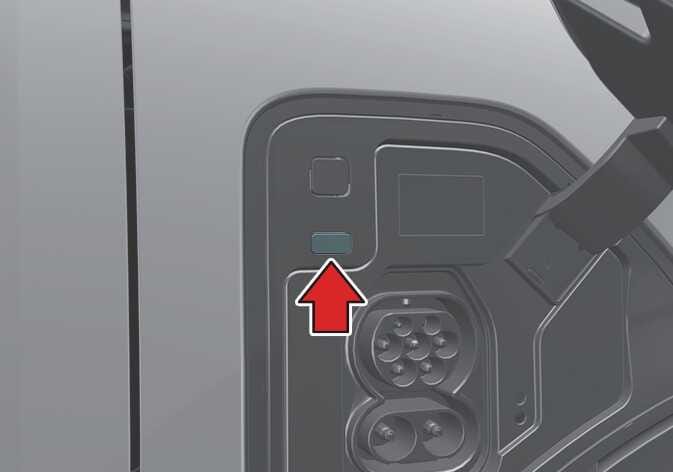
The charge indicator provides real-time information on the current state of charge:

  1. When you plug in the charging connector, a green light illuminates.

  2. If scheduled charging is set and the charger is connected for charging, the green light turns to amber light to indicate that scheduled charging is prepared.

  3. As the charging started, a green light blinks, showing the charging is progressing.

  4. When the battery is fully charged, the green light stops blinking to indicate that the battery is fully charged.

  5. As the red light illuminates, stop the charging and check the cause of the unknown problem.

TIP

The charge indicator lamp is located in the front of the vehicle inside the charging door.