
Intelligent Speed Limit Assist (ISLA) (if equipped)
Intelligent Speed Limit Assist uses information from the detected road sign and navigation system to inform the driver of the speed limit and additional information of the current road. Also, Intelligent Speed Limit Assist helps the driver to maintain within the speed limit of the road.

-
Intelligent Speed Limit Assist may not operate properly if the function is used in other countries.
-
If a navigation is applied to your vehicle, the navigation needs to be regularly updated for Intelligent Speed Limit Assist to operate properly.
Detecting sensor
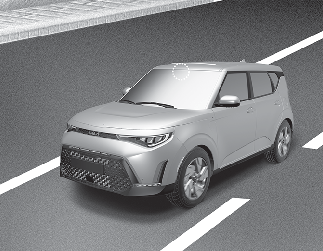
Refer to the picture above for the detailed location of the detecting sensor.
For more details on the precautions of the front view camera, refer to More Details.
Speed limit offset

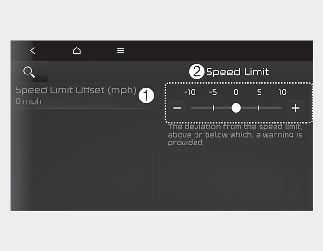
A: Driver Assistance
-
Speed Limit
-
Speed Limit Offset (mph)
With the vehicle on, select Settings → Driver Assistance → Speed Limit on the instrument cluster or Settings → Vehicle → Driver Assistance → Speed Limit on the infotainment system.
Speed Limit Warning and Speed Limit Assist warns the driver when driving speed exceeds the speed at which the set Speed Limit Offset is added to the speed limit, or applies the Speed limit offset setting to the detected speed limit.

For your safety, change the settings after parking the vehicle at a safe location.

-
Speed limit and Speed warning function operates based on an offset value added with the speed limit. Set the offset value to '0' to change or warn the speed according to the recognized speed limit.
-
The setting of Speed limit offset is not reflected in Navigation-based Smart Cruise Control.
-
If you change the Warning volume, the Warning volume of other Driver Assistance systems may change.