
Lane Keeping Assist operation
To activate/deactivate Lane Keeping Assist:
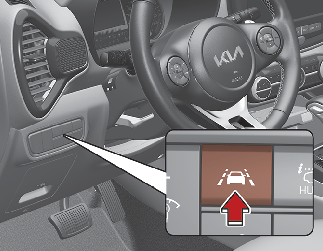
With the ENGINE START/STOP button in the ON position, Lane Keeping Assist turns on automatically. The indicator ( ) in the cluster display will initially illuminate white. If you press Lane Safety button located on the instrument panel
on the lower left hand side of the driver, Lane Keeping Assist will be turned off and the indicator on the cluster display
will go off.
) in the cluster display will initially illuminate white. If you press Lane Safety button located on the instrument panel
on the lower left hand side of the driver, Lane Keeping Assist will be turned off and the indicator on the cluster display
will go off.
The color of indicator will change depend on the condition of Lane Keeping Assist
- White : Sensor does not detect the lane marker or vehicle speed is less than 60 km/h(37mph).
- Green : Sensor detects the lane marker or road edge and function is able to control the steering.
Lane Keeping Assist activation
-
To see Lane Keeping Assist screen on the LCD display in the cluster, Tab to the Driving Assist mode (
 ).
).
-
For further details, refer to More Details.
-
After Lane Keeping Assist is activated, if the lane marker or road edge are detected, vehicle speed is over 60 km/h (37 mph) and all the activation conditions are satisfied, a green steering wheel indicator will illuminate and the steering wheel will be controlled.

Lane Keeping Assist is a function to help prevent the driver from leaving the lane or road edge. However, the driver should not solely rely on the function but always check the road conditions when driving.
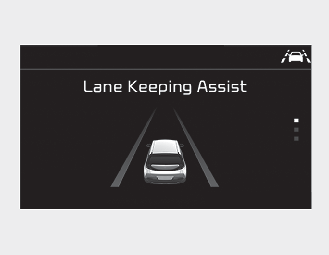
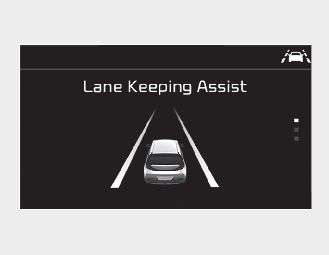
If the speed of the vehicle is over 60 km/h (37 mph) and the function detects lane markers, the color changes from gray to white.
Warning
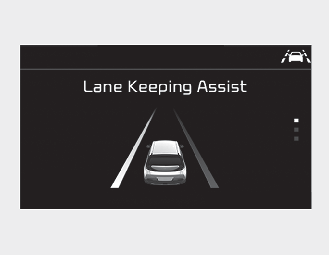
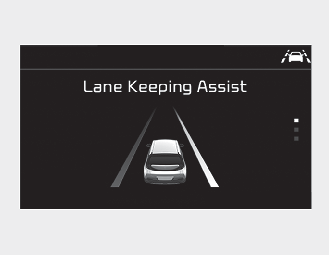
If the vehicle leaves a lane or road edge, the lane marker or road edge you cross will blink on the LCD display and the warning sound is provided.
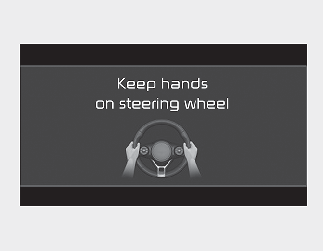
If the driver takes hands off the steering wheel for several seconds while Lane Keeping Assist is activated, the function will warn the driver.
-
The warning message may appear late according to road conditions. Therefore, always have your hands on the steering wheel while driving.
-
If you hold the steering wheel lightly, the function would generate hands off warning because Lane Keeping Assist can treat the situation as you do not grab the wheel.
-
If continuous hands-off occurs continuously, the beeping can be lengthened and continued even if Lane Keeping Assist steer control is released.
-
The driver is responsible for accurate steering.
-
Even though the steering is assisted by the function, the driver may control the steering wheel.
-
Turn off the function and drive the vehicle in below situations.
-
In bad weather
-
In bad road condition
-
When the steering wheel needs to be controlled by the driver frequently.
-
When towing a vehicle or trailer.
-
-
The steering wheel may feel heavier when the steering wheel is assisted by the function than when it is not.
The function will be canceled when:
-
You change lanes with the turn signal.
-
Using the turn signal to change lanes.
-
If you change lanes without the turn signal on, the steering wheel might be controlled.
-
-
Lane Keeping Assist can transit to steering assist mode when the car is near to middle of the lane after function on or the lane was changed. Lane Keeping Assist can not assist steering if the vehicle follows lane marker too close continuously before transition to steering assist mode.
-
The control of ESC (Electronic Stability Control) or VSM (Vehicle Stability Management) is activated.
-
The steering will not be assisted when your drive fast on a sharp curve.
-
The steering will not be assisted when vehicle speed is below 60 km/h (37 mph) and over 195 km/h (121 mph).
-
The steering will not be assisted when you change lanes or road edge fast.
-
The steering will not be assisted when you brake suddenly.
-
The steering will not be assisted when the lane is very wide or narrow.
-
There are more than two lane markers such as a construction area.
-
Radius of a curve is too small.
-
When you turn steering wheel suddenly, Lane Keeping Assist will be disabled temporarily.
-
Driving on a steep slope or hill.