

Digital Centre Mirror: (if equipped)
The Digital Centre Mirror is a system that uses the camera on the rear of the vehicle and displays its image on the screen of the Digital Centre Mirror. The Digital Centre Mirror allows the driver to see the rear view despite obstructions, such as the headrest or luggage, ensuring rear visibility.
-
Failure to follow the warnings and instructions for proper use of the Digital Centre Mirror could result in serious accident.
-
The Digital Centre Mirror is a convenience feature but it is not a substitute for proper vehicle operation. The system has areas where objects cannot be viewed. Check the blind spot of the Digital Centre Mirror before vehicle operation. The driver is always responsible for safe driving.
-
Do not operate the Digital Centre Mirror whilst driving. Doing so can be a distraction and it could lose control of your vehicle and cause an accident or serious injury.
-
Do not disassemble or modify the Digital Centre Mirror, the camera unit or wirings. If you do, it may result in accidents or fire. In case you notice smoke or smell coming from the Digital Centre Mirror, stop using the system immediately. Have the system inspected by an authorised Kia dealer.
-
-
Be sure to adjust the Digital Centre Mirror before driving.
-
Switch the system to the conventional rearview mirror mode and be properly seated on the driver’s seat. Then adjust the mirror so as to see the rear window properly.
-
Push the lever all the way to change to digital mirror mode and adjust the display settings. Driving without adjusting the mirror may cause difficulty in watching the display at the Digital Mirror mode (camera view mode) due to the reflection from the surface of the mirror.
-
As the range of the image display by the Digital Centre Mirror is different from that of the optical mirror, make sure to check.
-
-
If the Digital Centre Mirror malfunction, immediately switch the system to the conventional rearview mirror mode.
-
When strong light (for example, sunlight or high beams from following vehicles) enters the camera, a light beam or a glaring light may appear on the monitor screen of the Digital Centre Mirror. In that case, switch the system to the conventional rearview mirror mode appropriately.
-
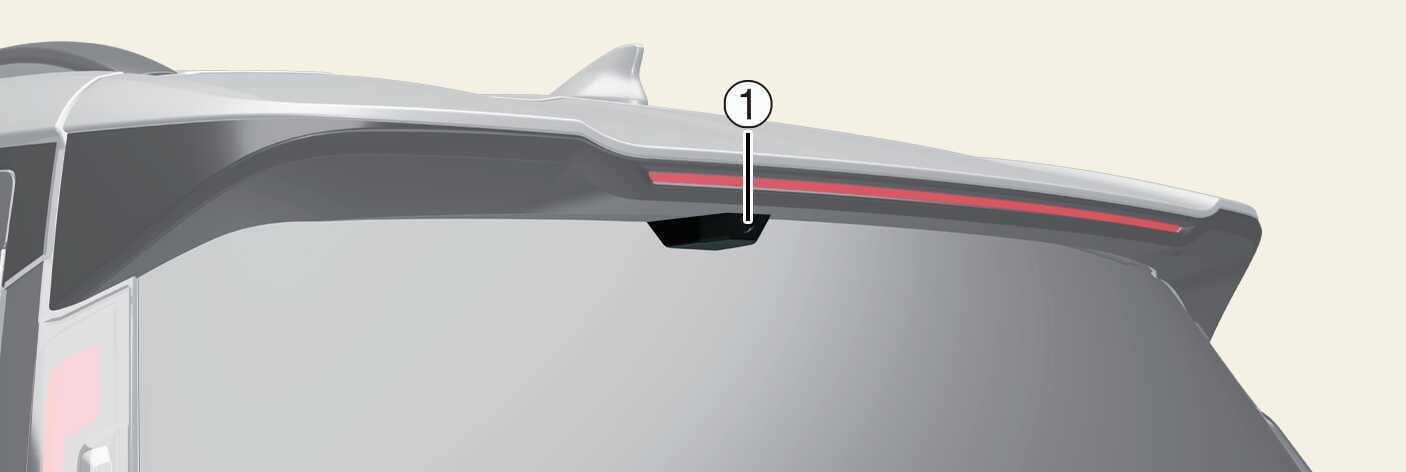
If the camera lens (1) is dirty, the displayed image may not be clear. In this case, clean it with a soft cloth dampened with water or a swab.
 OMV053231L

