

V2L connector: (if equipped)
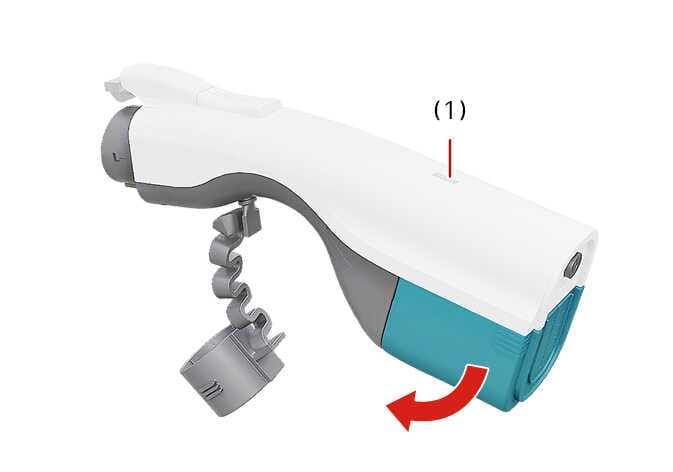 N_CT25Q012 |
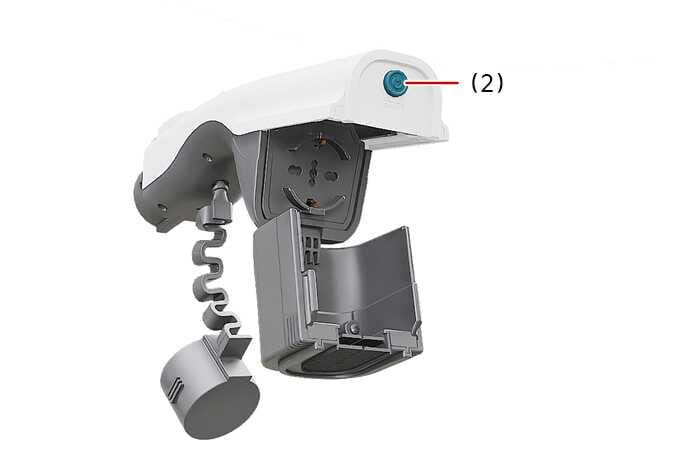 N_CT25Q013 |
-
Open the cover of the V2L connector.
-
Close the cover after connecting electronic appliances to the power outlet.
-
Connect the V2L connector to the charging hole on the vehicle.
-
Press the switch (2) of the V2L connector and check whether the light (1) is on or off. The light (1) may not turn on normally when:
-
See the battery discharging limit for high voltage battery for driving in Energy consumption menu on the screen. If it is higher than the current amounts of high voltage battery, the light (1) does not turn on.
-
Check whether the light of V2L connector or indoor power outlet turns on or not.
-
If the warning message for V2L appears on the cluster, refer to V2L LCD display messages.
-
If V2L does not operate properly when connecting other electronic appliances, have the vehicle inspected by a professional workshop. Kia recommends that you visit an authorized Kia dealer/service partner.
-
- Press the switch (2) to turn off the light (1). You can disconnect the V2L connector when the light (1) turns off and the charging door lock is deactivated pressing the door unlock button on the smart key.