

Warning Methods
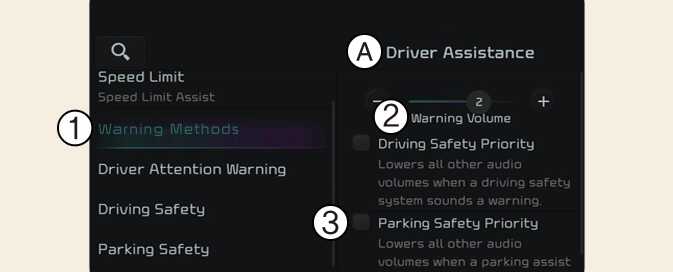
A: Driver Assistance
-
Warning Methods
-
Warning Volume
-
Parking Safety Priority
With the vehicle on, touch Settings → Vehicle → Driver Assistance → Warning Style on the infotainment system to change the Warning Style.
-
Parking Safety Priority: For safe parking, the audio volume will temporarily decrease while Rear View Monitor is operating.
-
If not equipped with the navigation system, select User Settings → Driver Assistance to adjust the Warning Volume.
-
The setting menu may not be available for your vehicle depending on the vehicle features and specifications.
-
Descriptions of each Driver Assistance system may be slightly different from the owner's manual after updating the software of your infotainment system. In this case, scan the QR code in the infotainment system manual to access the web manual for checking the changes.