

Camera settings
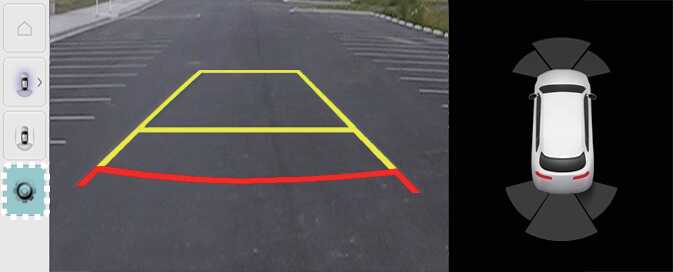
OCV051194L
With the vehicle on, select the setup icon (
 ) on the screen or
Setup →
Vehicle →
Driver Assistance →
Parking Safety →
Camera Settings from the infotainment system screen to change the Rear View Monitor settings.
) on the screen or
Setup →
Vehicle →
Driver Assistance →
Parking Safety →
Camera Settings from the infotainment system screen to change the Rear View Monitor settings.
-
Display Contents: To change the settings of Extended Rear View Monitor and Rear Parking Guide Lines.
-
Display Settings: To change the screen's brightness and contrast.