

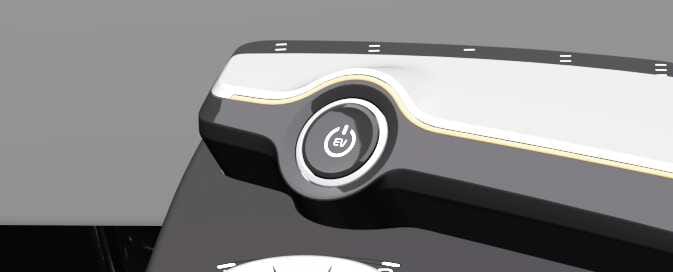
Power button
 OCV051001L |
Operation
-
OFF
-
To completely turn off DRIVE READY or POWER ON, stop the vehicle, shift to P (Park), and press the EV button with the brake pedal pressed.
NOTEWhen starting the vehicle while shifting to other than P:
The vehicle will automatically switch to P (Park) from R (Reverse)/D (Drive)/N (Neutral) and then turn off.
-
-
POWER ON
-
Press the EV button twice without depressing the brake pedal.
-
The warning lights can be checked.
-
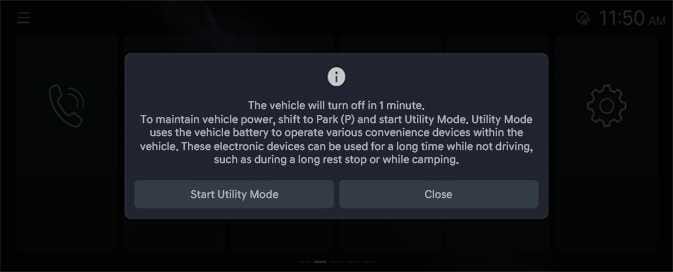
In 14 minutes after POWER ON, the infotainment system screen shows the below. To continue to use the vehicle power, press ‘Start Utility Mode’
 OCV034128L
-
If POWER ON is maintained for 15 minutes without converting to the utility mode, the power is turned OFF.
NOTE-
If the high-voltage battery charging and outdoor V2L features are used with POWER ON, the utility mode is operated and the power is not turned OFF.
-
The infotainment system can be changed through updates. For more information, refer to Infotainment system.
-
-
DRIVE READY
-
In OFF or POWER ON state, press the EV button while pressing the brake pedal in P (Park).
-