

Turning Lane Keeping Assist On/Off
 OJAPE053018 |
For Europe/Australia/Russia
Whenever the vehicle is turned on, Lane Keeping Assist will always turn on and a gray ( ) indicator light will appear on the cluster.
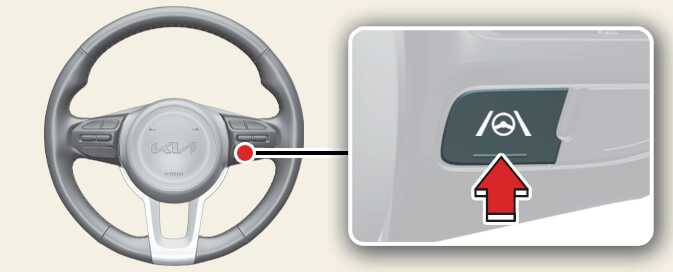
If you want to turn off Lane Keeping Assist, press and hold the Lane Driving Assist button ( ) to turn off the function. The () indicator light will turn yellow if you turn off Lane Keeping Assist.
Except Europe/Australia/Russia
With the vehicle on, press and hold the Lane Driving Assist () button located on the steering wheel to turn on and off Lane Keeping Assist.
The gray or green () indicator light on the cluster will light up if you turn on Lane Keeping Assist.The () indicator light will turn yellow if you turn off Lane Keeping Assist.
-
When the operating condition of Lane Keeping Assist are met, the cluster is illuminated with a green (
) indicator. -
When the operating conditions are not met, a grey (
) indicator is illuminated.