Camera Settings
 OMV074096R |
|
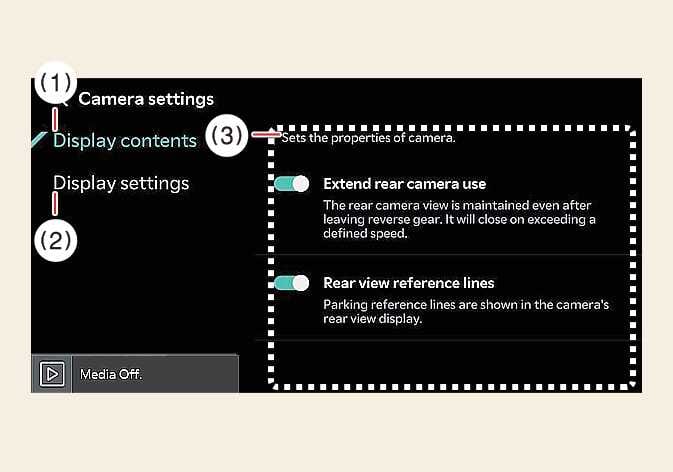
With the vehicle on, select the setup icon ( ) on the screen or from the infotainment system screen to change the Rear View Monitor settings.
-
Display contents : Specify information that will be displayed on the parking assistance screen.
Parking Distance Warning
Parking distance warning are displayed in the rear monitor.
Rear View Parking Guidance
When the front top view or rear top view is activated, the top view parking guidance will be displayed on the right top view of the surround view monitor screen.
Top View Parking Guidance
Parking guidance is displayed on the right side of the Surround View Monitor screen when the Front or Rear Top View Parking Guidance is selected.
Display settings
You can set the brightness (day/night) and contrast of the camera image in Display settings.