

LCD display modes
The LCD display provides 5 modes. You can switch modes by pressing the Mode button.
|
|
||||||
|---|---|---|---|---|---|---|
 NN_ODEEV068073NR Driving Assist |
 NN_OCV041429L Trip Computer |
 NN_OCV041430L Turn By Turn (TBT)* |
 NN_ODEEV068071NR User Settings |
 NN_OCV041490L Information |
 NN_OCV041432L Master Warning |
|
|
Up/Down |
Forward Collision-Avoidance Assist Lane Keeping Assist Blind-Spot Collision-Avoidance Assist* Smart Cruise Control* Lane Following Assist |
Drive Information |
Route Guidance |
Driver Assistance* |
Driving force distribution (AWD) * |
The Master Warning mode displays warning messages related to the vehicle when one or more systems is not operating normally. |
|
Driver Attention Warning |
Since Refueling |
Destination Info |
Cluster |
TPMS |
||
|
Intelligent Speed Limit Assist* |
Accumulated Info |
Lights* |
||||
|
AUTO STOP* |
||||||
|
Digital Speedometer * |
Door* |
|||||
|
Convenience* |
||||||
|
Units |
||||||
|
Language |
||||||
|
Reset |
||||||
 Mode
Mode


The information provided may differ depending on which functions are applicable to your vehicle.
: if equipped
Keep the engine running when configuring the display settings to prevent the battery from discharging.
Trip computer mode
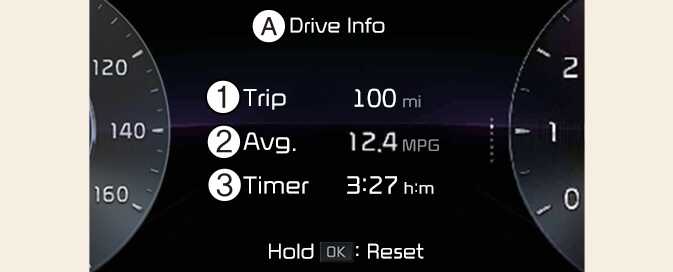
A: Drive info
-
Accumulated trip distance
-
Average fuel efficiency
-
Total driving time
The trip computer mode displays information related to vehicle driving parameters including fuel economy, tripmeter information and timer.
For more details, refer to Trip information (trip computer).
Turn By Turn (TBT) mode
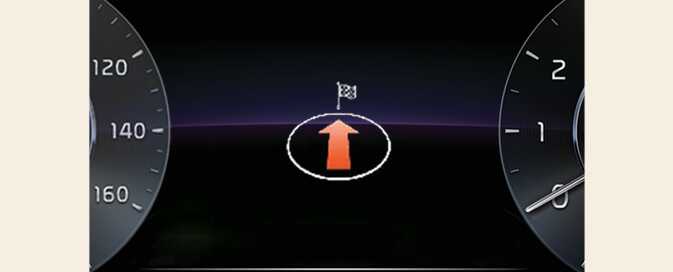
This mode displays the state of the navigation.
Driving Assist mode
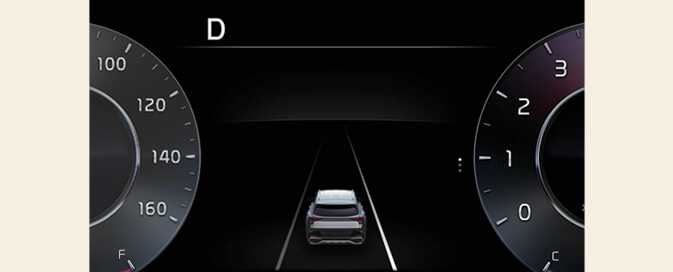
This mode displays the state of:
-
Lane Safety
-
Smart Cruise Control
-
Driver Attention Warning
Information mode
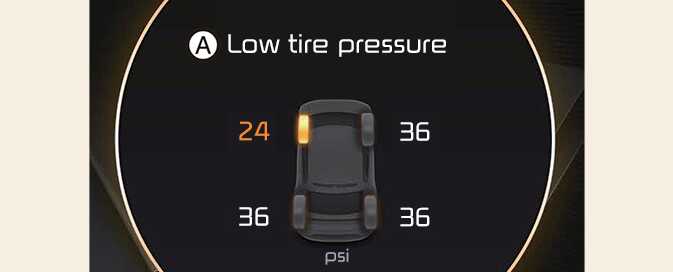
A: Low tire pressure
This mode displays the state of:
-
Speedometer
-
Engine temperature
-
Tire pressure
-
AWD traction: (if equipped)
This mode displays information related to Tire Pressure.
For more details, refer to Tire Pressure Monitoring System (TPMS).
Master warning mode
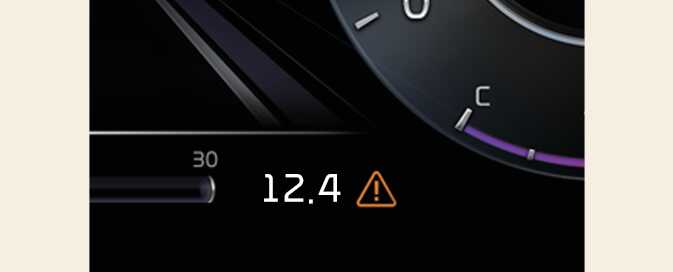
This warning light informs the driver the following situations.
-
LED headlamp malfunction
-
Lamp malfunction
-
High Beam Assist malfunction: (if equipped)
At this time, a Master Warning icon (
 ) will appear beside the User Settings icon (
 ), on the LCD display. If the warning situation is solved, the master warning light will be turned off and the Master Warning icon will disappear.
User settings mode
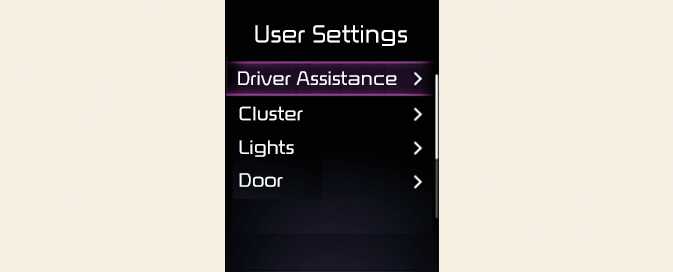
In this mode, you can change the settings of the instrument cluster, doors, lamps, etc.
-
Driver Assistance
-
Cluster
-
Lights
-
Sound
-
Door
-
Convenience
-
Service Interval
-
Units
-
Reset
The information provided may differ depending on which functions are applicable to your vehicle.
|
Items |
Explanation |
|---|---|
|
Driving Convenience |
To adjust Highway Driving Assist
To select the functions For more details, refer to Highway Driving Assist (HDA). |
|
Speed Limit* |
To select the Warning time
To adjust the Speed Limit Offset For more details, refer to Intelligent Speed Limit Assist (ISLA). |
|
Warning Timing |
To select the warning timing |
|
Warning Volume |
To select the warning volume |
|
Driver Attention Warning |
To select the function
To select the function For more details, refer to Driver Attention Warning (DAW). |
|
Forward Safety |
To adjust Forward Collision-Avoidance Assist.
To select the functions For more details, refer to Forward Collision-Avoidance Assist (FCA) (Front Camera Only) and Forward Collision-Avoidance Assist (FCA) (Sensor Fusion) |
|
Lane Safety |
To adjust Lane Keeping Assist
To select the functions For more details, refer to Lane Keeping Assist (LKA). |
|
Blind-Spot Safety |
To activate or deactivate Safe Exit Warning. For more details, refer to Safe Exit Warning (SEW).
For more details, refer to Blind-Spot Collision-Avoidance Assist (BCA). |
|
Parking Safety |
To Activate or deactivate Rear Cross-Traffic Collision-Avoidance Assist.
For more details, refer to Forward/Reverse Parking Distance Warning (PDW). For more details, refer to Reverse Parking Collision-Avoidance Assist (PCA). |
The information provided may differ depending on which systems are applicable to your vehicle.
|
Items |
Explanation |
|---|---|
|
Theme Selection |
|
|
Wiper/Lights Display |
Activate |
|
Traffic Signs |
Activate |
|
Icy Road Warning |
Activate |
|
Cluster Voice Guidance Volume |
|
|
Welcome Sound |
Activate |
|
Items |
Explanation |
|
|---|---|---|
|
Illumination |
To adjust the instrument cluster illumination. |
|
|
One Touch Turn Signal |
For more details, refer to Lighting. |
|
|
Headlamp Delay |
If this item is checked, the headlamp delay function will be activated. |
|
|
High Beam Assist |
If this item is checked, High Beam Assist will be activated. |
|
The information provided may differ depending on which functions are applicable to your vehicle.
|
Items |
Explanation |
|---|---|
|
Automatically Lock |
If the setting is changed while the vehicle is in motion, the changed setting may not immediately operate. |
|
Automatically Unlock |
|
|
2 Press Unlock |
If this item is checked, the two press unlock will be activated. Press the door unlock button once to unlock the driver's door, and press the button once more within 4 seconds to unlock the rest of the doors. |
|
Power Liftgate |
If this item is checked, Power Liftgate will be activated. |
|
Power Liftgate Opening Speed |
To adjust the power liftgate speed. |
|
Power Liftgate Opening Height |
To select the height. For more details, refer to Power liftgate. |
|
Smart Liftgate |
To activate or deactivate the Smart Liftgate. For more details, refer to Smart Liftgate with Auto Open. |
The information provided may differ depending on which systems are applicable to your vehicle.
|
Items |
Explanation |
|
|---|---|---|
|
Welcome Sound |
If this item is checked, the welcome sound function will be activated. |
|
|
Items |
Explanation |
|---|---|
|
Seat Easy Access |
To select the seat movement |
|
Rear Occupant Alert |
If this item is checked, the Rear Occupant Alert (ROA) display will be activated. |
|
Welcome Light |
To select the welcome mirror/light function. |
|
Welcome Mirror/Light |
If this item is checked, Welcome Mirror/Light will be activated. |
|
Wireless Charging System |
Activate |
|
Auto Rear Wiper (in R) |
If this item is checked, the Auto Rear Wiper will be activated when the front wiper is On and the gear is selected in R (Reverse). |
The information provided may differ depending on which functions are applicable to your vehicle.
|
Items |
Explanation |
|
|---|---|---|
|
Speedometer Unit |
To select the Speedometer unit. |
|
|
Fuel Economy Unit |
To select the Fuel economy unit. For more details, refer to Trip information (trip computer). |
|
|
Temperature Unit |
To select the Temperature unit. |
|
|
Tire Pressure Unit |
To select the Tire Pressure Unit |
|
The information provided may differ depending on which functions are applicable to your vehicle.
|
Items |
Explanation |
|---|---|
|
Language |
To select the language. |
|
Items |
Explanation |
|
|---|---|---|
|
Reset |
You can reset the menus in the User Settings mode. All menus in the User Settings mode are reset to factory settings, except language and service interval. |
|