

Drive mode
The drive mode integrated control system allows the driver to select the drive mode most appropriate to the surrounding environment.
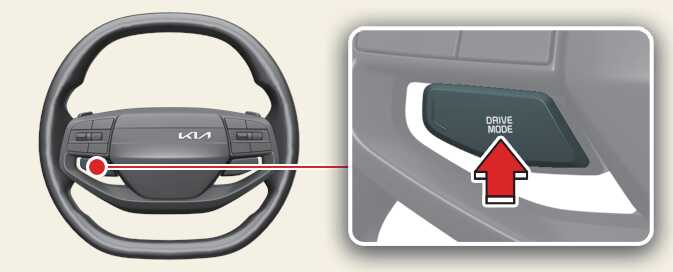 ONQ5044012 |
The Drive mode is activated by press the DRIVE MODE button.
When NORMAL mode is selected, it is not displayed on the instrument cluster.
-
MY DRIVE mode:
The driver can separately adjust modes of each driving system.
-
SPORT mode:
SPORT mode provides sporty driving.
-
NORMAL mode:
NORMAL mode provides soft driving.
The drive mode will change to NORMAL mode when the engine is restarted.
MY DRIVE mode
In MY DRIVE mode, the driver can select separate modes and combine them on the infotainment system screen.
-
Select from the vehicle settings menu on the infotainment system screen. Then press the DRIVE MODE button for more than 1 second to select MY DRIVE mode.
-
Engine/Transmission: NORMAL/SPORT
-
Steering wheel: NORMAL/SPORT
-
When MY DRIVE mode is selected by using the drive mode button, the MY DRIVE mode indicator will illuminate according to the selected mode.
SPORT mode
SPORT mode manages the driving dynamics by automatically adjusting the steering effort, the engine and transmission control logic for enhanced driver performance.
-
When SPORT mode is selected by using the DRIVE MODE button, the SPORT indicator will appear.
-
Whenever the engine is restarted, the Drive Mode will revert to NORMAL mode. If SPORT mode is desired, re-select SPORT mode from the DRIVE MODE button.
-
When SPORT mode is activated:
-
The engine rpm will tend to remain raised over a certain length of time even after releasing the accelerator
-
Upshifts are delayed when accelerating
-
In SPORT mode, the fuel efficiency may decrease.