
Forward Collision-Avoidance Assist settings
Forward Safety
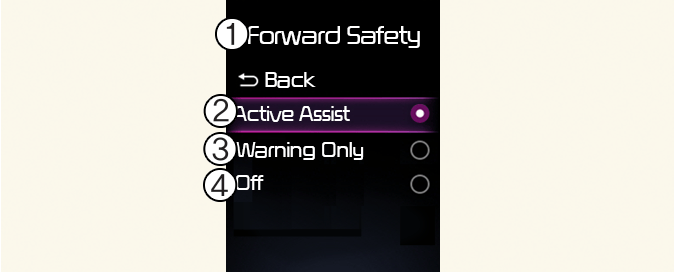
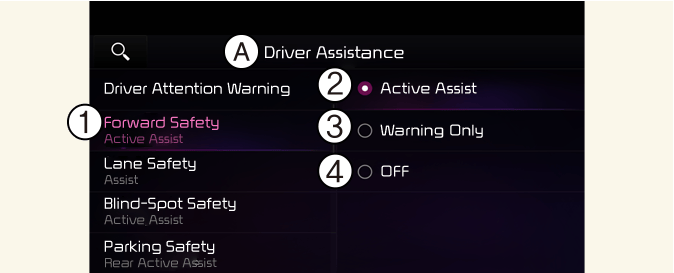
A: Driver Assistance
-
Forward Safety
-
Active Assist
-
Warning Only
-
Off
With the vehicle on, select User Settings → Driver Assistance → Forward Safety from the settings menu in the instrument cluster or Setup → Vehicle → Driver Assistance → Forward Safety from the infotainment system to set whether or not to use each function.
-
Active Assist: Forward Collision-Avoidance Assist will warn the driver with a warning message, and a warning sound depending on the collision risk levels. Braking assist will be applied depending on the collision risk.
-
Warning Only: Forward Collision-Avoidance Assist will warn the driver with a warning message, and a warning sound depending on the collision risk levels. Braking will not be assisted. The driver must apply the brake pedal or steer the vehicle if necessary.
-
Off: Forward Collision-Avoidance Assist will turn off. The warning light (
 ) will appear on the cluster.
The driver can monitor Forward Collision-Avoidance Assist ON/OFF status from the Settings menu. If the warning light () remains ON when Forward Collision-Avoidance Assist is ON, have the vehicle inspected by an authorized Kia dealer.

When the vehicle is restarted, Forward Collision-Avoidance Assist will always turn on. However, if Off is selected, the driver should always be aware of the surroundings and drive safely.

-
If Warning Only is selected, braking is not assisted.
-
The settings for Forward Safety include “Basic function” and “Junction Turning”.

Forward Collision-Avoidance Assist will turn off when ESC is turned off by pressing and holding the ESC OFF button. The warning
light () will appear on the cluster.
Warning Timing

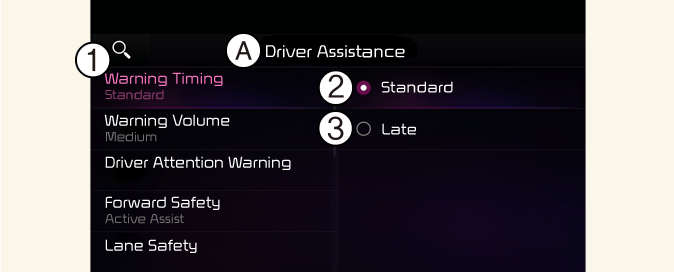
A: Driver Assistance
-
Warning Timing
-
Standard
-
Late
With the vehicle on, select User Settings → Driver Assistance → Warning Timing from the settings menu in the instrument cluster or Setup → Vehicle → Driver Assistance→ Warning Timing from the infotainment system to change the initial warning activation time for Forward Collision-Avoidance Assist.
-
Standard: Use in a normal driving environment. If the function operates too sensitively, set the warning timing to Late.
-
Late: The warning timing will be slow.
Warning Methods
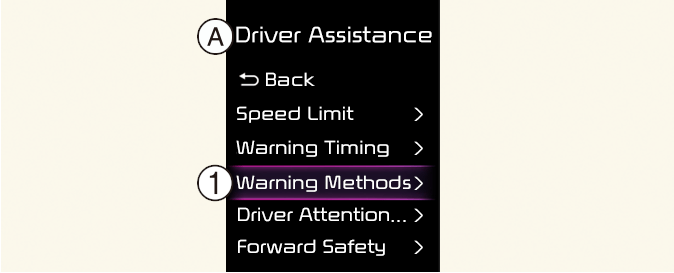
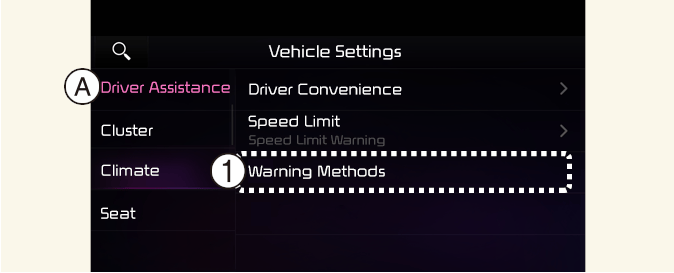
A: Driver Assistance
-
Warning Methods
The Warning Methods can be set with the vehicle on. Select User Settings → Driver Assistance → Warning Methods from the settings menu in the instrument cluster or Setup → Vehicle → Driver Assistance → Warning Methods from the settings menu in the infotainment system to change the following settings:
-
Warning Volume: Adjusts the volume of the warning sound. If you turn off the Warning Volume, for your safety, the function may warn you with a low volume.
-
Haptic Warning: Activate the steering wheel vibration warning. (if equipped)
-
Driving Safety Priority: Lowers all other audio volumes when the Driving Safety system sounds a warning.
-
If you change the Warning Methods, it can be applied to each function of the Driver assistance systems. Please check and change it in each function.
-
If the vehicle is restarted, Warning Methods will maintain the last setting.
-
The setting menu may not exist based on vehicle specification.
-
The Warning Volume and Haptic Warning cannot be turned off at the same time. When one of the warnings is turned off the other is activated.