

Display and control
You can see the status of the Highway Lane Change Assist function operation in the Driving Assist view on the cluster. Refer to LCD Display Modes.
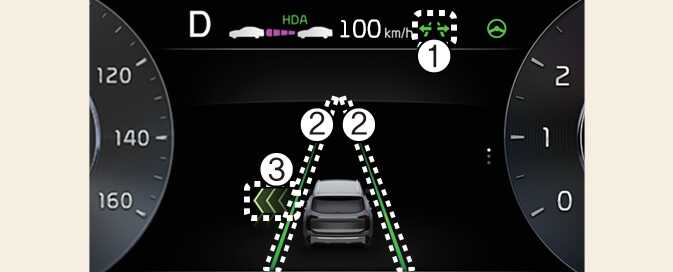
Highway Lane Change Assist function will be displayed as below depending on the status of the function.
-
Highway Lane Change Assist indicator
-
Green (
 ) on: Ready state
-
Green (
 ) blink: Operating state
-
Grey (
 ) on: Standby state
-
White (
 ) blink: Canceled state (display only a certain time)
-
-
Lane line
The lane line is displayed identical to Highway Lane Change Assist indicator (1). However, the lane detection availability will be showed on Standby state.
-
Green arrow and shade
The green arrow is displayed when Highway Lane Change Assist is operating.
-
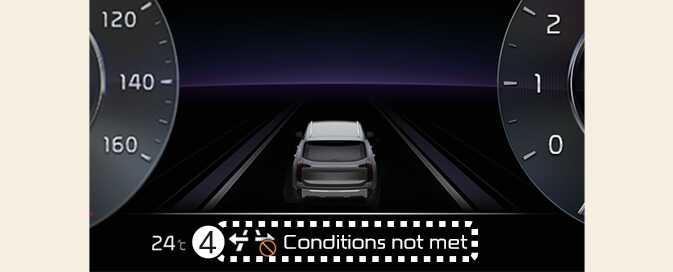
Message
-
Message is displayed when the function does not operate even though the turn signal lever is used.
-
Message is displayed when the function is canceled while operating.
-
Highway Lane Change Assist function will turn on when the following conditions are satisfied.
-
The Driving Assist button or Lane Driving Assist button is used to turn on Highway Driving Assist.