

Adjusting 4-way lumbar support for driver's seat: (if equipped)
OON032132_3
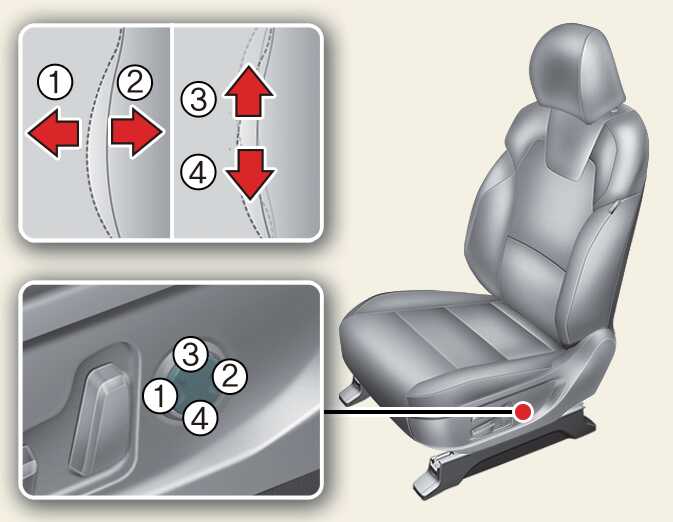
The lumbar support can be adjusted by pressing the lumbar support switch on the side of the seat.
-
Press the front portion (1) of the switch to increase the support, or the rear portion (2) of the switch, to decrease the support.
-
Press the upper portion (3) of the switch to raise the support, or the lower portion (4) of the switch, to lower the support.
-
Release the switch once it reaches the desired position.