

Displaying operating status
You can see the status of the Smart Cruise Control operation in the Driving Assist view on the cluster. Refer to .
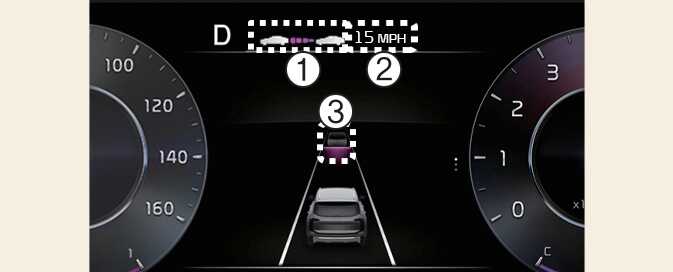
OON052252
Smart Cruise Control will be displayed as below depending on the status of the function.
-
When operating
-
Whether there is a vehicle ahead and the selected distance level
-
Set speed
-
Whether there is a vehicle ahead and the target vehicle distance
-
-
When temporarily canceled
-
Your vehicle (shaded)
-
Previous set speed (shaded)
-
Whether there is a vehicle ahead (shaded) (if equipped)
-