

Navigation-based Smart Cruise Control settings
Highway Auto Speed Change
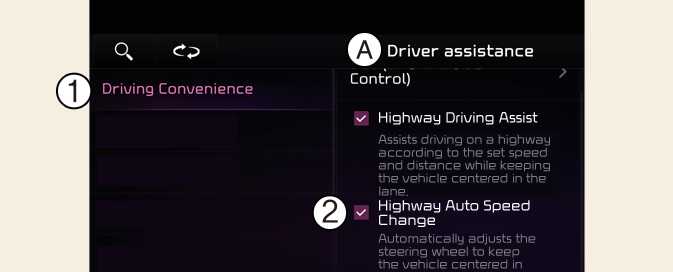
OSG2PH052201N
A: Driver Assistance
-
Driving Convenience
-
Highway Auto Speed Change
With the vehicle on, touch Settings → Vehicle → Driver Assistance → Driving convenience → Highway Auto Speed Change on the infotainment system.
NOTE
When there is a problem with Navigation-based Smart Cruise Control, the function cannot be set from the Settings menu.
TIP
Descriptions for each function of the Driver Assistance system may differ from the owners' manual by infotainment software update. Refer to the web manual that you can access with the QR code in the infotainment system quick reference.