
High Beam Assist Setting
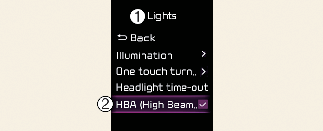
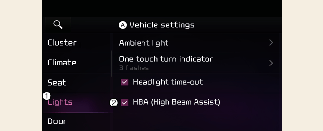
A: Vehicle Settings
-
Lights
-
High Beam Assist
With the vehicle in the ON position, select User Settings → Lights → High Beam Assist in the instrument cluster, or select Settings → Vehicle → Lights → High Beam Assist in the Infotainment system to turn on High Beam Assist function.

WARNING
For your safety, change the Settings after parking the vehicle at a safe location.