

Warning methods
 KIAPB138 |
|
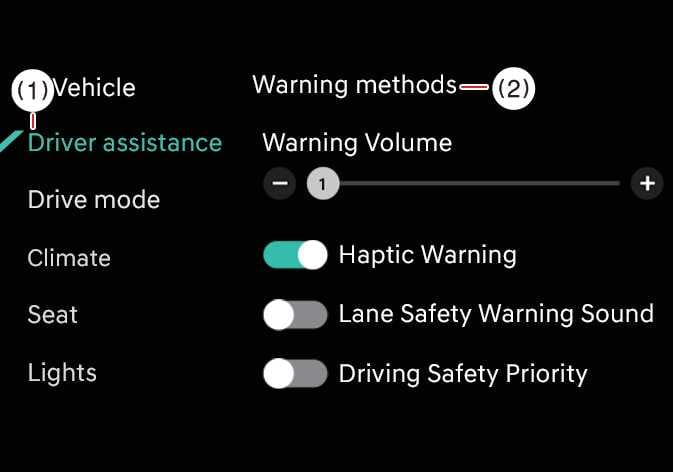
The Warning Methods can be set with the vehicle on. Select Settings > Vehicle > Driver Assistance > Warning methods (  ) from the settings menu in the infotainment system to change the following settings:
-
Warning volume: Adjusts the volume of the warning sound.
-
Do not use the system if a trailer or another vehicle is being towed, or if a carrier or other equipment affecting sensor operation or vehicle stability is installed. The system may not operate properly.
-
When Carrier Mode is activated, Remote Smart Parking Assist will not operate. When Carrier Mode is turned off, it will operate normally again. (When genuine parts are applied.)
-
Ensure that Warning methods you have set may apply to the Warning methods of other driver assistance systems.
-
Warning methods will maintain its last setting even if the vehicle is restarted.
-
The setting menu may not be available for your vehicle depending on the vehicle features and specifications.
-
Do not use the system when towing another vehicle or when other equipment that affects sensor operation or vehicle balance is installed, as it may not operate properly.
-
Towing a trailer or installing a carrier may reduce control stability. If necessary, disable the function and always drive with caution.
-
Remote Smart Parking Assist may not operate properly when a trailer, carrier, or other equipment is installed, or when towing another vehicle. Do not use the function in these conditions.