

How to disconnect AC charger
-
When charging is complete, remove the charging plug from the electrical outlet of the AC charging station.
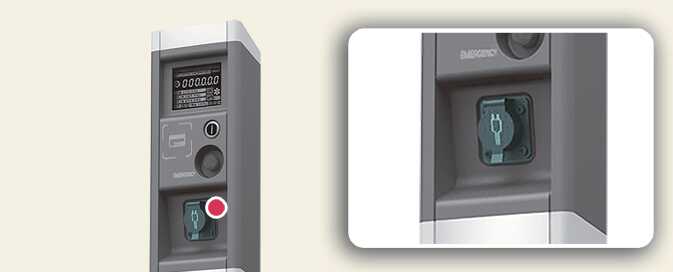 OCVQ011007L2
 -
Hold the charging connector handle and pull it out.
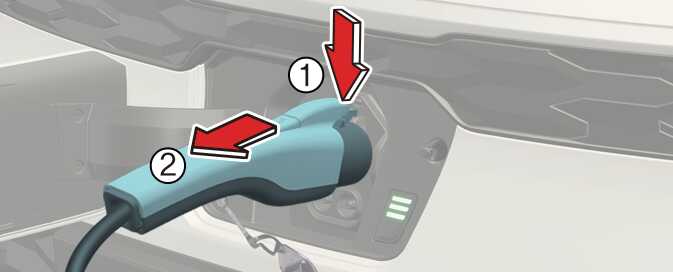 OSG2EVQ011011
 -
Make sure to completely close the charging door.
-
Close the protection caps of the charging connector and the charging plug to protect them from foreign substances.
-
If the personal charging connector is used, store the connector in the cable compartment.
-
If you cannot open the charging door due to freezing weather, tap lightly or remove any ice near the charging door. Do not try to forcibly open the charging door. If you open it by force, the charging door may be damaged.
-
Select EV → setting icon on the screen → Charging connector locking mode in the infotainment system. The charging connector is locked in the inlet at a different period according to which mode is selected.
-
Always lock mode: The connector locks when the charging connector is plugged into the charging inlet.
-
Lock while charging mode: The connector locks when charging starts.
The infotainment system may change after software updates. For more information, refer to the manual provided in the infotainment system and the quick reference guide.
-
-
For you safety, start charging when the EV button is in the OFF position and the vehicle shifted to P (Park). After charging has started, you can use electrical components such as the radio by pressing the EV button to the ACC or ON position.
-
During AC charging, the radio reception may not be optimal.
-
During charging, the gear cannot be shifted from P (Park) to any other gear.
-
Depending on the condition and durability of the high voltage battery, charger specifications, and ambient temperature, the time required for charging the battery may vary.