
Lane Following Assist settings
Warning methods
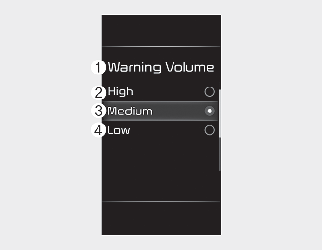
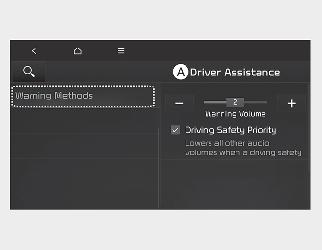
A: Driver Assistance
-
Warning Volume
-
High
-
Medium
-
Low
With the vehicle on, select Settings → Driver Assistance → Warning Volume on the instrument cluster or Setup → Vehicle → Driver Assistance → Warning Methods on the infotainment system to change the Warning Sound.
-
Warning Volume: You can adjust the Warning Volume.
-
Driving Safety Priority: For safe driving, the audio volume will temporarily decrease to warn the driver with the audible warning.

-
Ensure that Warning Methods you have set may apply to the Warning Methods of other Driver Assistance systems.
-
Warning Methods will maintain its last setting even if the vehicle is restarted.
-
The setting menu may not be available for your vehicle depending on the vehicle features and specifications.