
HDA settings
HDA
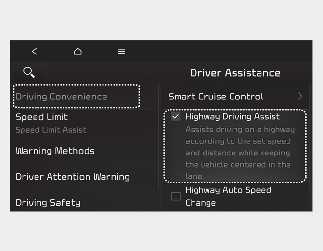
With the ignition switch or ENGINE START/STOP button in the ON position, select Setup → Vehicle → Driver Assistance → Driving Convenience → Highway Driving Assist on the Infotainment system screen to set whether to use the function.
-
If Highway Driving Assist is selected, it helps maintain distance from a vehicle ahead, maintain the set speed, and helps center your vehicle in the lane.

For your safety, change the settings after parking your vehicle at a safe location.

-
If there is a problem with the functions, the settings cannot be changed. Have the vehicle inspected by an authorized Kia dealer.
-
If your vehicle is restarted, the functions will maintain the last setting.
Warning Methods
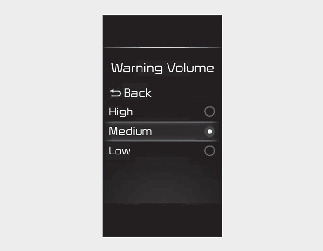
You can adjust the Warning Methods with the ignition switch or ENGINE START/STOP button in the ON position.
-
Warning Volume: Select User Settings → Driver Assistance → Warning Volume on the LCD display or Setup → Vehicle → Driver Assistance → Warning Methods on the Infotainment system.
-
Driving Safety Priority: Select Setup →Vehicle → Driver Assistance → Warning Methods → Driving Safety Priority on the Infotainment system. For safe driving, the audio volume will temporarily decrease to warn the driver with the audible warning.
-
Ensure that Warning Methods you have set may apply to the warning volume of other Driver Assistance systems.
-
Warning Methods will maintain its last setting even if your vehicle is restarted.
-
The setting menu may not be available for your vehicle depending on your vehicle features and specifications.