Battery conditioning mode: (if equipped)
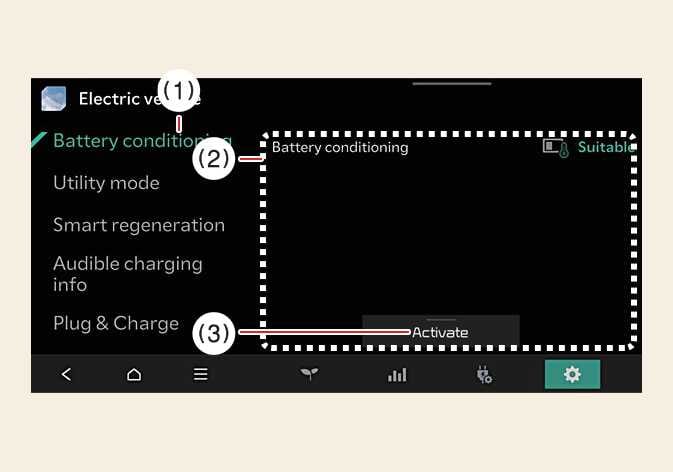 OSVQ014087L |
|
If DC charging performance is likely to be impaired by the high-voltage battery’s temperature being too high or too low, manually activate the Battery Conditioning function or link its operation to the navigation system to be able to achieve DC charging performance expected at room temperature.
Operation
-
Select on the infotainment screen. then select Activate to use the function manually.
Use the battery conditioning switch to turn the function on or off and check the operating status.
Linked to navigation route
If you set a DC charging station as a destination or waypoint on your navigation, the Battery Conditioning function controls the battery temperature suitable for DC charging whilst considering the arrival time.
This allows drivers to secure DC charging performance as at room temperature even during hot and cold weather.
-
Battery Conditioning function operates only in a vehicle equipped with a battery heater.
-
Battery conditioning function does not operate to ensure driving distance when the battery charge level is low. The function also does not operate if the temperature of the battery is suitable for DC charging.
-
Due to the energy used to adjust the temperature of a battery may shorten the driving distance. Reaching the suitable temperature of a battery requires time.
-
You can control the battery Conditioning function remotely whilst parking.
In this case, the Battery Conditioning mode will end either when the battery temperature reaches the appropriate range or after 30 minutes.