

To set speed limit
-
Press and hold the Driving Assist (
 ) button at the desired speed. The Speed Limit (
 ) indicator light illuminates on the instrument cluster.
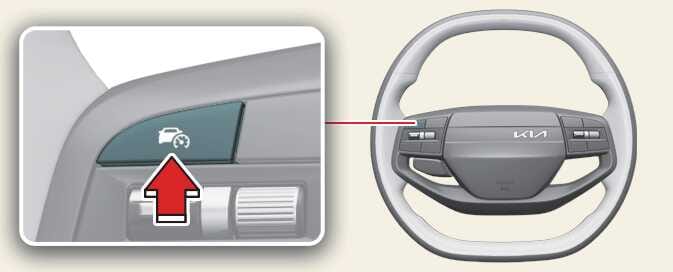 OYB055025L
-
Push the (+) switch up or (-) switch down, and release it at the desired speed. Push the (+) switch up or (-) switch down to change the set speed. Push and hold to increase or decrease to the nearest multiple of five (multiple of ten in km/h), and then increase or decrease by 10 km/h (5 mph).
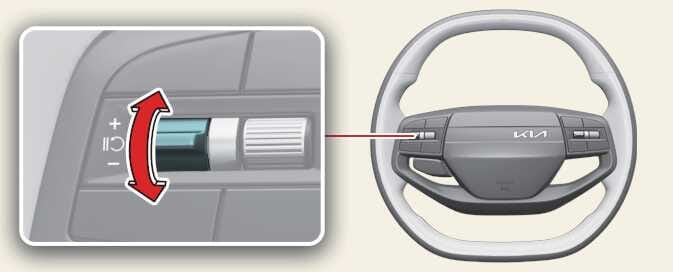 OYB055026L
Depending on the vehicle specifications, the set maximum speed is different. You cannot increase the set speed above the set maximum speed.
-
Check the set speed limit on the instrument cluster.
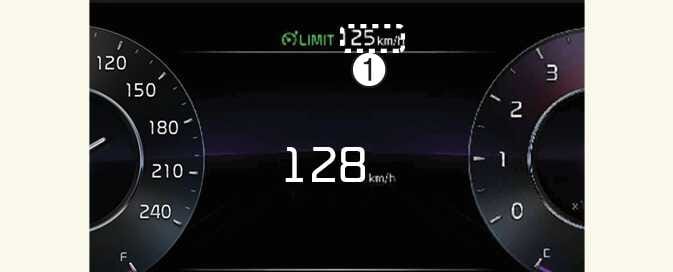 ONQ5041152 |
|
-
If you want to drive over the set speed limit, depress the accelerator pedal far enough to activate the kickdown mechanism.
-
The set speed limit blinks and chime sounds until your vehicle speed decreases below the set speed.
When the accelerator pedal is not depressed beyond the pressure point, your vehicle speed maintains within the speed limit.