

Smart Cruise Control display and control
You can see the status of the Smart Cruise Control operation in the Driving Assist view on the cluster. Refer to LCD display.
Smart Cruise Control will be displayed as below depending on the status of the function.
 OYB055153L |
Smart Cruise Control will be displayed as below depending on the status of the function.
-
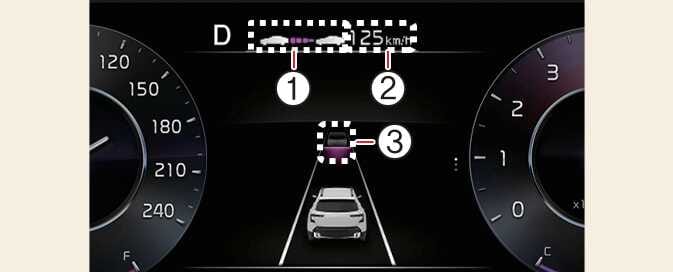
When operating
-
Whether there is a vehicle ahead and the selected distance level
-
Set speed
-
Whether there is a vehicle ahead and the target vehicle distance
-
-
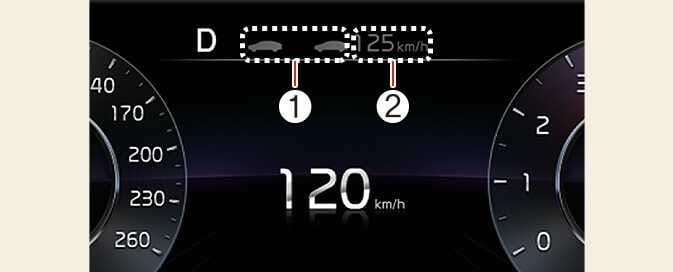
When temporarily canceled
 OYB055139L
-
Your vehicle is displayed in gray.
Vehicle ahead and distance level are not displayed.
-
The previous set speed is shaded.
-
-
The distance of the front vehicle on the cluster is displayed according to the actual distance between your vehicle and the vehicle ahead.
-
The target distance may vary according to the vehicle speed and the set distance level. If vehicle speed is low, even though the vehicle distance has changed, the change of the target vehicle distance may be small.
-
The images or colors displayed on the cluster may vary depending on the cluster specifications or themes.