

Highway Driving Assist settings
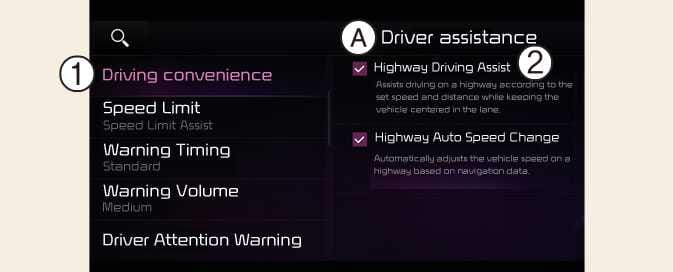 ONQ5EP041222L |
A: Driver Assistance
|
With the vehicle on, touch or select on the infotainment system to set whether to use each function.
-
If Highway Driving Assist is selected, it helps maintain distance from the vehicle ahead, maintain the set speed, and helps center the vehicle in the lane.
WARNING
For your safety, change the Settings after parking the vehicle at a safe location.
NOTE
-
If there is a problem with the functions, the settings cannot be changed. Have your vehicle inspected by a professional workshop. Kia recommends visiting an authorized Kia dealer or service partner.
-
If the vehicle is restarted, the functions will maintain the last setting.