

Rear View Monitor settings
Camera settings
 OSG2EV052156L |
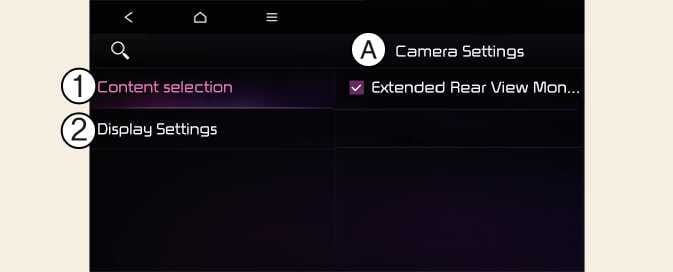
A: Camera Settings
|
You can change Rear View Monitor ‘Display Contents’ and 'Display Settings' or by touching the
setup icon ( ) on the screen while Rear View Monitor is operating, or
selecting
-
Display Contents: To change the settings of rear view with parking guidance, Extended Rear View Monitor
-
Display Settings: To change the screen’s brightness and contrast.
Warning Methods
 OJAPE073112L |
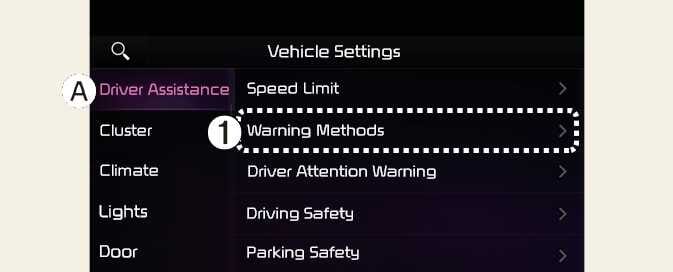
A: Driver Assistance
|
You can adjust the Warning Methods with the ignition switch or ENGINE START/STOP button in the ON position.
Parking Safety Priority: Select on the Infotainment system for safe parking. The audio volume will temporarily decrease to warn the driver with the audible warning.
-
Ensure that Warning Methods you have set may apply to the Warning volume of other Driver Assistance systems.
-
Warning Methods will maintain its last setting even if the vehicle is restarted.
-
The setting menu may not be available for your vehicle depending on the vehicle features and specifications.