Settings

Configuring the electric vehicle settings (if equipped)

You can set convenience features available for electric vehicles.
  • Available settings may differ depending on the vehicle model and specifications.
  1. On the Home screen, press Settings ► EV.
The Electric vehicle settings screen appears.
  1. Configure the settings as required.
  • Press on the screen or press the [SEARCH] button on the control panel, enter a search term, and then select the item to run.
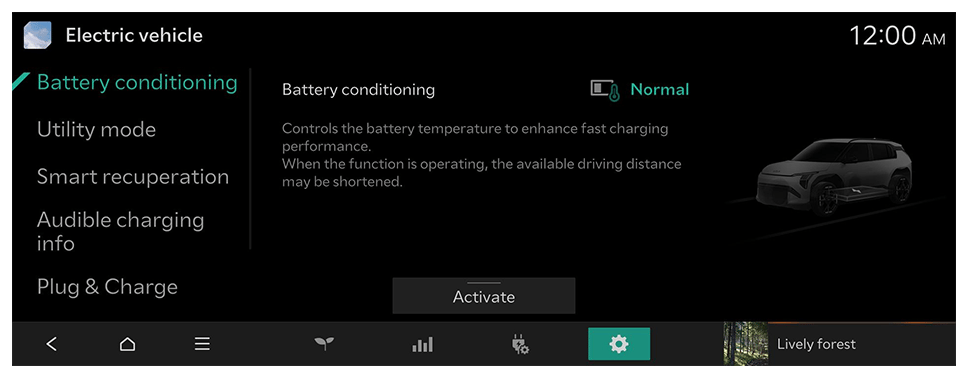
Battery conditioning

Controls the battery temperature to enhance fast charging performance.

Utility mode

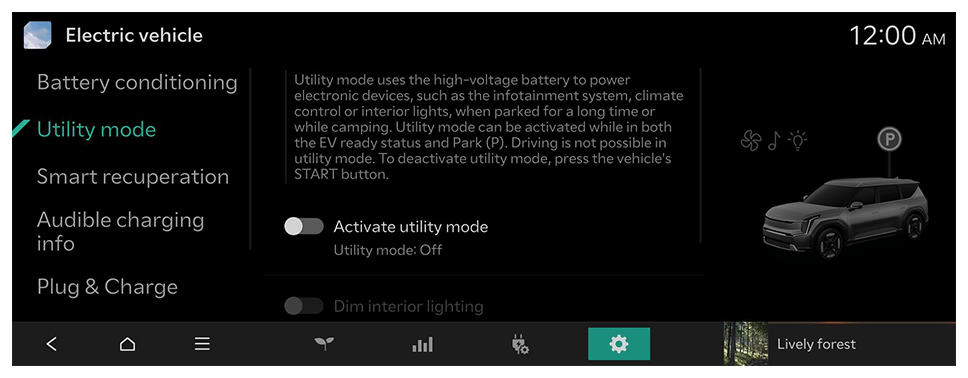
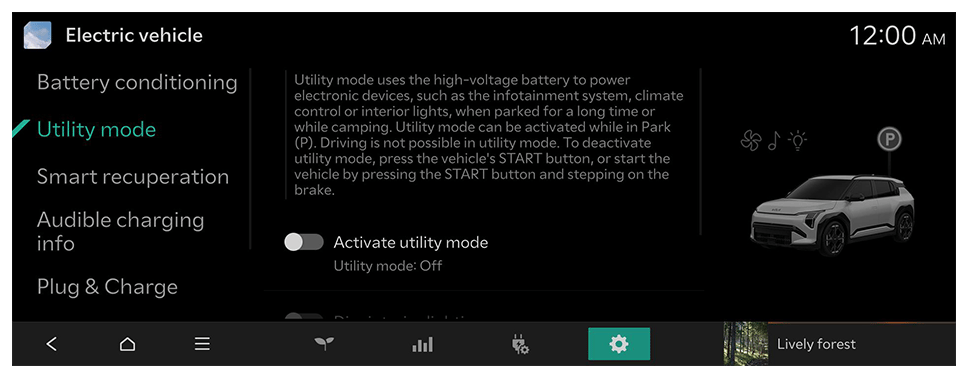
Utility mode uses the high-voltage battery to power electronic devices, such as the infotainment system, climate control or interior lights, when parked for a long time or while camping.
Option A
  • To deactivate utility mode, press the vehicle's START button.
Option B
  • To deactivate utility mode, press the vehicle's START button, or start the vehicle by pressing the START button and stepping on the brake.
  • The screen may differ depending on the vehicle model and specifications.

Smart recuperation

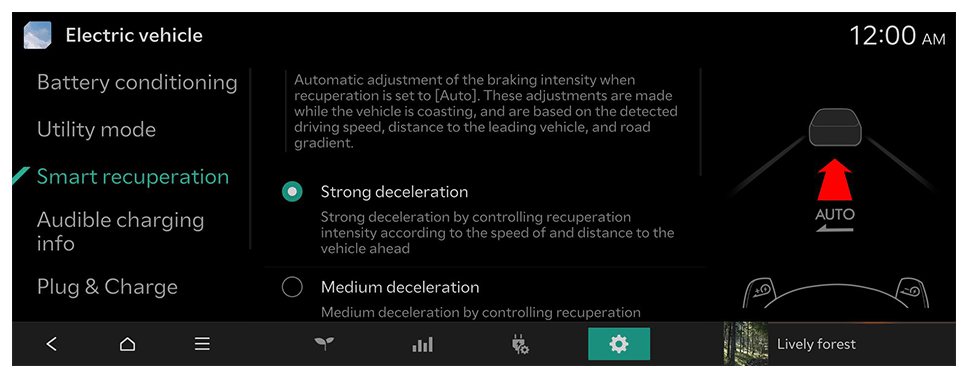
Automatic adjustment of the braking intensity when recuperation is set to [Auto]. These adjustments are made while the vehicle is coasting, and are based on the detected driving speed, distance to the leading vehicle, and road gradient.
Option A
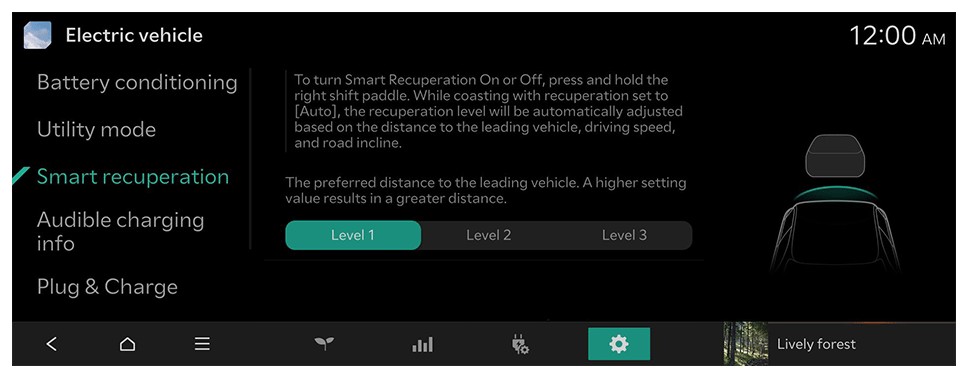
Option B
  • To turn Smart Recuperation On or Off, press and hold the right shift paddle.
  • The screen may differ depending on the vehicle model and specifications.

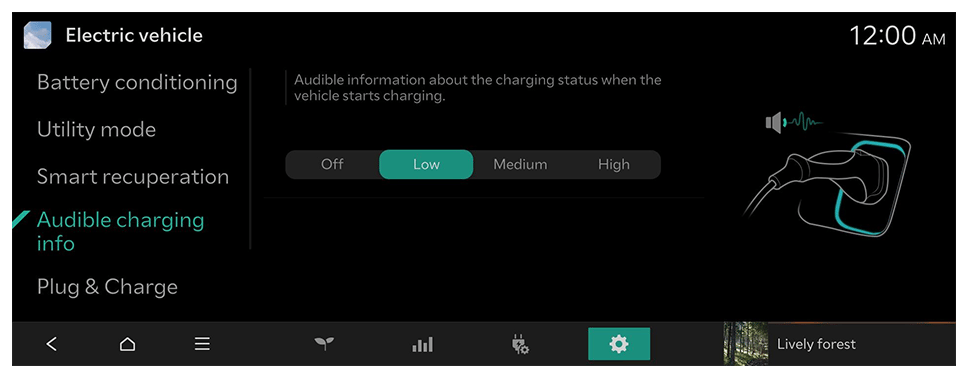
Audible charging info

Audible information about the charging status when the vehicle starts charging.
  • To turn off the Audible charging info, press Off.

Plug & Charge (if equipped)

With Plug & Charge enabled, the authorisation is done automatically by connecting your vehicle to a Plug & Charge capable charge point. In order to use Plug & Charge, please enable this function at the e-mobility service provider recommended by your manufacturer.

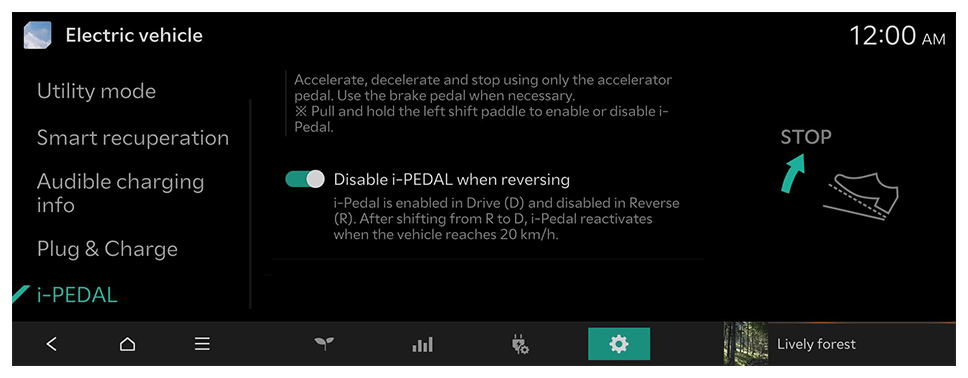
i-PEDAL (if equipped)

Accelerate, decelerate and stop using only the accelerator pedal. Use the brake pedal when necessary.
※ Pull and hold the left shift paddle to enable or disable i-Pedal.

Settings

Font size

Line spacing