
Next Departure
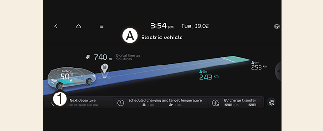
A: Electric Vehicle
-
Next Departure
Select EV → Next Departure on the screen. You can set the date and time of when to charge the battery, climate control temperature, and other various functions.
Departure Time
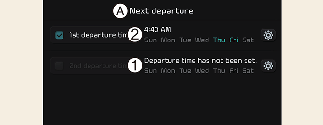
A: Next Departure
-
1st Departure Time
-
2nd Departure Time
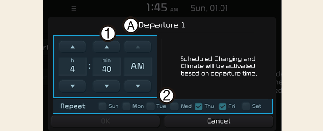
A: Departure 1
-
Departure Time: Set the time that you wish to start the vehicle after charging the battery.
-
Departure Day: Set the day of the week to activate reserved charging and target temperature for departure time.