

Lane Safety
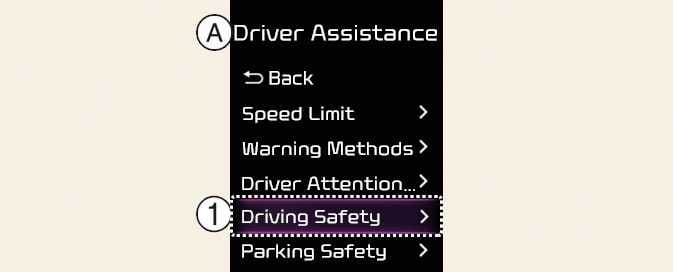
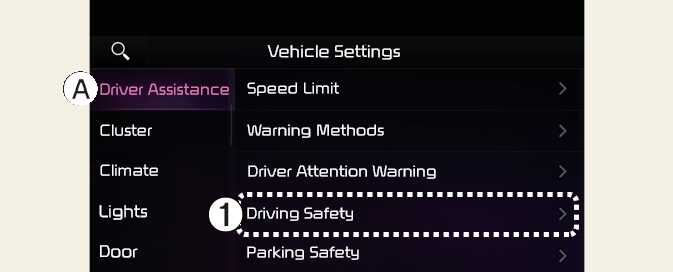
A: Driver Assistance
-
Driving Safety
With the vehicle on, select elect User Settings → Driver Assistance → Driving Safety on the instrument cluster, or select Setup → Vehicle → Driver Assistance → Driving Safety on the Infotainment system.
-
Lane Safety: When lane departure is detected, the function assists with steer prevent leaving the lane, and if lane departure occurs, it alerts the driver with an audible sound. If Lane safety is deselected, the yellow indicator light (
 ) will appear on the cluster.
-
Lane Keeping Assist does not control the steering wheel when the vehicle is driven in the middle of the lane.
-
The driver should always be aware of the surroundings and steer the vehicle if Lane safety is deselected.
-
If the Lane Keeping Assist is turned off by pressing the Lane Driving Assist button (
 ), the Lane Safety is also deselected.
-
Except Europe/Australia/Russia
Lane Keeping Assist function will maintain its last setting even if the vehicle is restarted.