
Other view modes
Service mode
This mode reminds you of scheduled maintenance information.
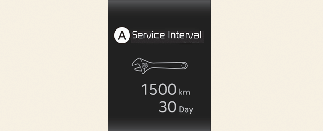
A: Service Interval
Service in
It calculates and displays when you need a scheduled maintenance service (mileage or days).
If the remaining mileage or time reaches 1,500 km (900 miles) or 30 days, "Service in" message is displayed for several seconds each time you set the ignition switch or ENGINE START/STOP Button to the ON position.
Service required
If you do not have your vehicle serviced according to the already inputted service interval, "Service required" message is displayed for several seconds each time you set the ignition switch or ENGINE START/STOP Button to the ON position.
To reset the service interval to the mileage and days you inputted before:
-
Press the OK button (Reset) for more than 1 second.

If any of the following conditions occurs, the mileage and days may be incorrect.
-
The battery cable is disconnected.
-
The battery is discharged.
Master warning mode

This mode informs you of the following situations:
-
Driver assistance system malfunction, limitation or radar/camera blockage (if equipped)
-
LED headlamp malfunction
-
Lamp malfunction
-
TPMS failure, low tyre pressure, etc.
At this time, the Master Warning icon ( ) will appear. If the warning situation is solved, the master warning light will be turned off and the Master Warning icon
will disappear.
) will appear. If the warning situation is solved, the master warning light will be turned off and the Master Warning icon
will disappear.