

Wireless smartphone charging system: (if equipped)
A wireless smartphone charging system is located in front of the centre console.
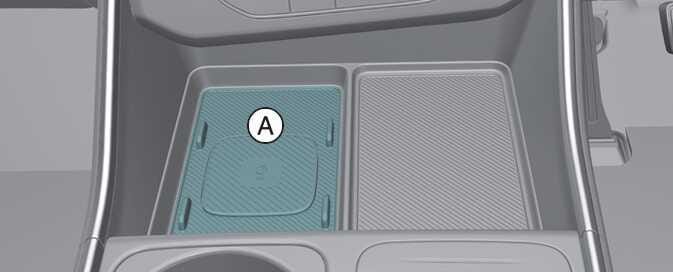 OKA4033078R |
[A]: Charging pad
Firmly close all doors, and the ignition switch or ENGINE START/STOP button is ON. To start wireless charging, place the smartphone equipped with wireless charging function on the wireless charging pad.
For best wireless charging results, place the smartphone on the centre of the charging pad.
The wireless charging system is designed for one smartphone equipped with QI only. Please refer to the smartphone accessory cover or the smartphone manufacturer homepage to check whether your smartphone supports QI function.
When using a smartphone application (such as Android Auto) whilst charging, charging may be delayed or stopped. This is not a problem with the wireless charging system but is caused by the smartphone overheating. Please remove the smartphone from the charging pad.
The wireless charging speed for certain smartphones with built-in protection may decrease or stop, depending on the wireless charging policy and product specifications set by each manufacturer, so you can check your smartphone's maximum wireless charging speed in the manufacturer's wireless charging manual.
If any metallic object such as coins is located between the wireless charging system and the smartphone, the charging may be disrupted. Also, the metallic object may heat up.