

Warning road conditions ahead
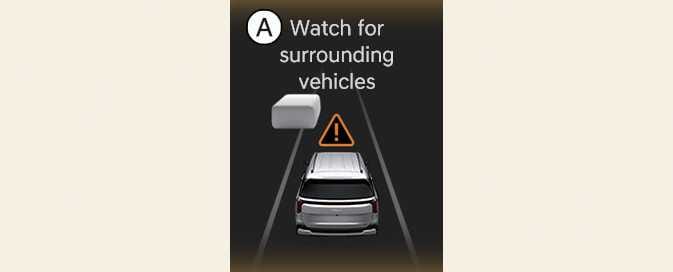 OKA4054025N |
A: Watch for surrounding vehicles |
In the following situation, a warning message will appear on the instrument cluster, and an audible warning will sound to warn the driver of road conditions ahead.
-
Always pay attention to vehicles or objects that may suddenly appear in front of you, and if necessary, depress the brake pedal to reduce your speed to maintain a safe distance.
-
Smart Cruise Control is a convenience feature and does not substitute for proper and safe driving. It is your responsibility to always remain alert and check the speed and distance to a vehicle ahead.
-
Smart Cruise Control may not recognize unexpected, sudden or complex situations, so always pay attention to driving conditions and control your vehicle speed.
-
Keep Smart Cruise Control off when the function is not in use to avoid inadvertently setting a speed.
-
Do not open the door or leave the vehicle when Smart Cruise Control is operating, even if the vehicle is stopped.
-
Always be aware of the selected speed and distance ahead.
-
Keep a safe distance according to road conditions and vehicle speed. If the distance is too close when driving at high speed, a serious collision may result.
-
When maintaining distance with a vehicle ahead, if that vehicle disappears from view, Smart Cruise Control may suddenly accelerate to the set speed. Always be aware of unexpected and sudden situations.
-
Vehicle speed may decrease on an upward slope and increase on a downward slope.
-
Always be aware of emergent situations such as when a vehicle cuts in suddenly.
-
When towing a trailer or something similar, your vehicle may experience frequent shifting and high RPM and the performance of Smart Cruise Control may be compromised. Always drive with caution.
-
Turn off Smart Cruise Control when your vehicle is being towed.
-
Smart Cruise Control may not operate properly if interfered with by strong electromagnetic waves.
-
Smart Cruise Control may not detect an obstacle in front and lead to a collision. Always look ahead to prevent unexpected and sudden situations from occurring.
-
Vehicles moving in front of you with frequent lane changes may cause a delay in Smart Cruise Control reaction or may cause Smart Cruise Control to react to a vehicle that is actually in an adjacent lane. Always drive cautiously to prevent unexpected and sudden situations from occurring.
-
Always be aware of the surroundings and drive safely, even though a warning message does not appear, or an audible warning does not sound.
-
If any other function's warning message is displayed or warning sound is generated, Smart Cruise Control warning message may not be displayed and warning sound may not be heard.
-
You may not hear the warning sound of Forward Collision-Avoidance Assist if the environment is noisy.
-
The vehicle manufacturer is not responsible for any traffic violation or accident caused by the driver.
-
Always set the vehicle speed under the posted speed limit.
-
If your driving style changes, distance, acceleration and reaction speed may change.
-
Your vehicle must be driven sufficiently to analyze your actual driving style, such as vehicle distance, acceleration and reaction speed.
-
Based on Driving Style may not reflect the driver's driving style or driving conditions which could affect driving safety.
-
If you are driving in special conditions, such as snow, rain, fog or steep hills, your vehicle may not be driven according to your driving style.
-
Smart Cruise Control may not operate for a few seconds after the vehicle is restarted or the front-view camera or front radar is initialized.
-
You may hear a sound when the brake is controlled by Smart Cruise Control.
-
Based on Driving Style may not reflect your driving style if it is not safe such as rapid acceleration.
-
Based on Driving Style does not reflect any driving style other than vehicle distance, acceleration and reaction speed.