

Lighting control
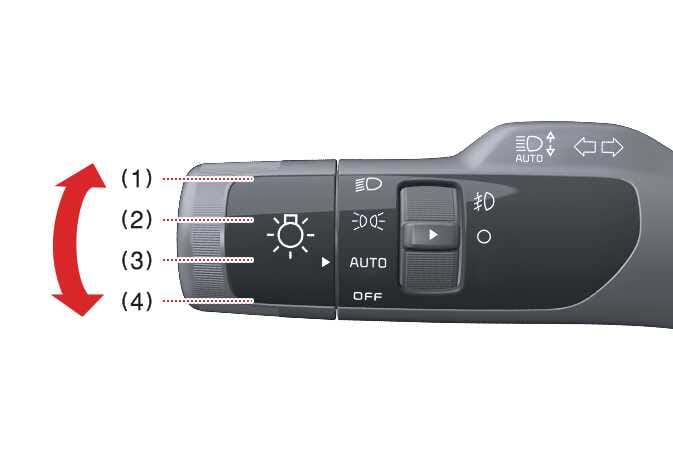
The light switch has a headlight and a position lamp setting.
 OMQ4A035001 |
|
To operate the lights, turn the knob at the end of the control lever to one of the following settings:
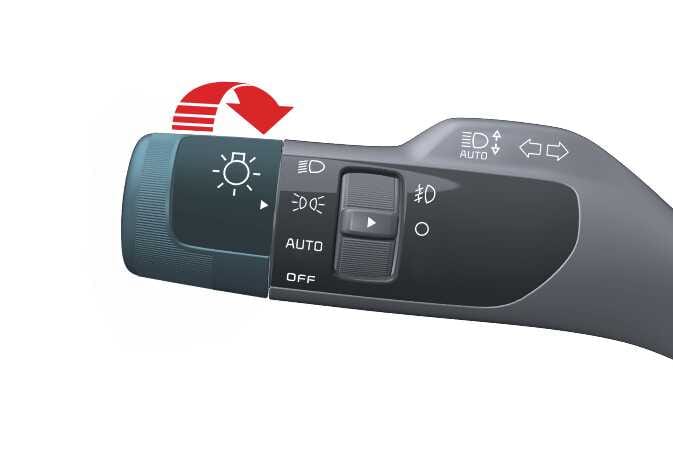
Position Lamp & Taillight 
 OMQ4A035002 |
When the light switch is in the lamp position, the front position lamp, taillight, and the license plate lamp will turn ON.
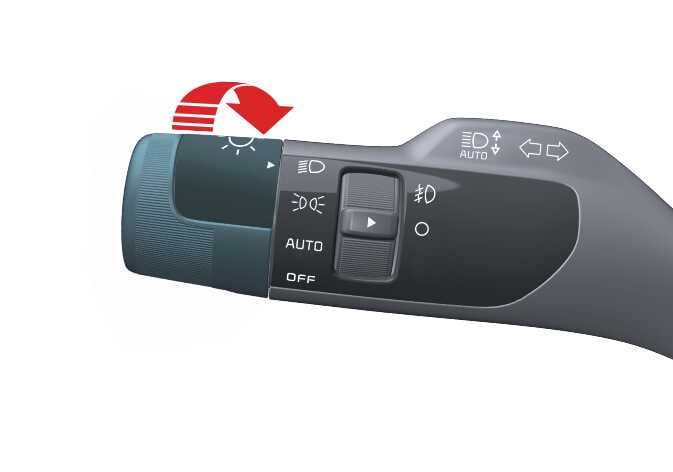
Headlight (Low Beam) 
 OMQ4A035003 |
When the light switch is in the headlight position, headlight (low beam), taillight and license plate lamp will turn ON.
The ENGINE START/STOP button must be in the ON position to turn on the headlights.
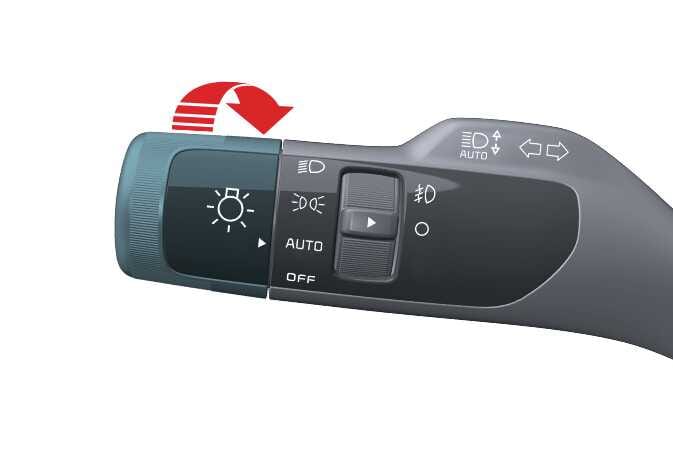
Auto light
 OMQ4A035004 |
When the light switch is in the AUTO light position, the taillights and headlights will turn ON or OFF automatically depending on the amount of ambient light.
| Setting | Result |
|---|---|
|
Position lamp and taillight OMQ4A035002 |
Front position lamp, taillights, and license plate lamp are ON. TIP
The ENGINE START/STOP button must be ON to turn on the headlights. |
| Headlight (low beam)
OMQ4A035003 |
Low beam headlight, taillight, and license plate lamp are ON. |
| AUTO light
OMQ4A035004 |
Taillights and headlights turn ON or OFF automatically depending on the amount of ambient light. |
-
For optimal AUTO light setting performance, never place anything over the sensor (1) located on the instrument panel.
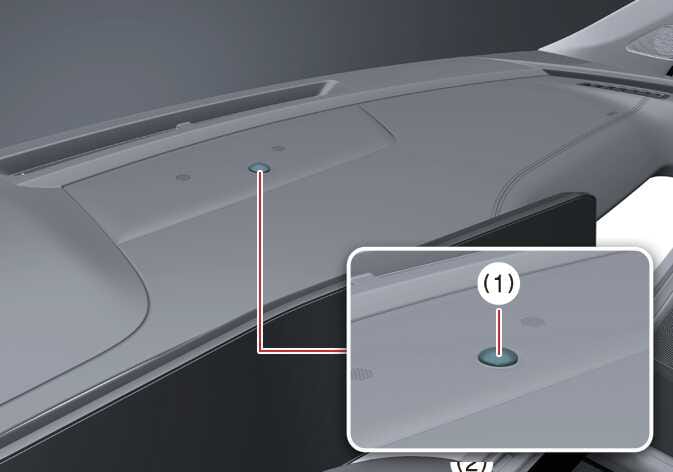 OMQ4A035005
 -
Do not clean the sensor with a window cleaner, as it may leave a thin film that could interfere with sensor operation.
-
If your vehicle has a window tint or other metallic coating on the front windshield, the AUTO light system may not work properly.