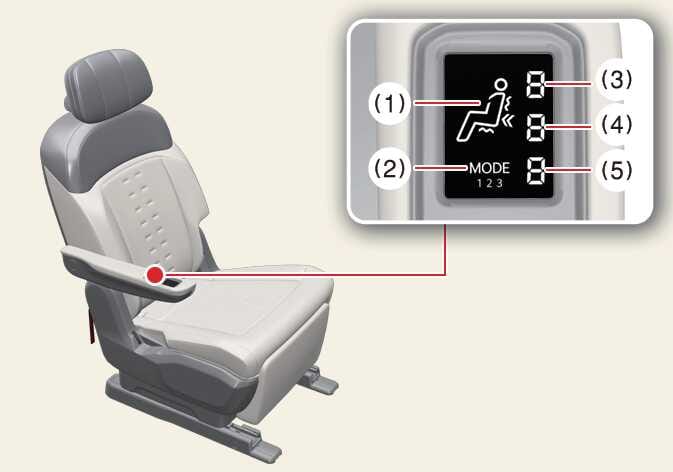
Dynamic Body Care LCD screen
 OMV044074L |
|
-
The current operating area is displayed. The (
 ) symbol indicates vibration mode, and the (
  ) symbol indicates tapping mode. Blinks when intensity is adjusted.
 -
The currently operating mode is displayed. Modes can be adjusted from 1 to 3.
-
Vibration mode intensity is displayed. Vibration mode intensity can be adjusted from 1 to 3 levels.
-
Tap mode intensity is displayed. The strength of the tap mode can be adjusted from 1 to 5 levels.
-
Mode intensity is displayed. Mode intensity can be adjusted between L (Low) and H (High).