

Locking charging cable
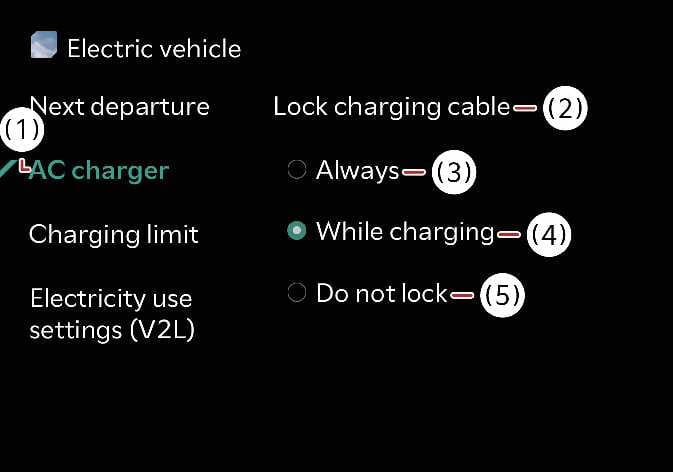 N_QVe27_C00_126_E |
|
You can select one of the above modes when the charging connector can be locked and unlocked in the charging inlet.
Tap on the infotainment system screen.
The infotainment system might change after software updates. For more information, refer to the manual provided in the infotainment system and the quick reference guide.
When the charging connector is locked
|
Category |
Lock while charging |
Always lock |
Do not lock |
|---|---|---|---|
|
Before charging |
X |
O |
X |
|
While charging |
O |
O |
X |
|
Finished charging |
X |
O |
X |
Always Lock mode
The connector locks when you connect the charging connector to the charging inlet. The connector remains locked until you unlock the vehicle doors. Use the AC charging connector lock function to prevent charging cable theft.
-
The charging connector automatically re-locks when you unlock all doors but do not disconnect the charging cable within 15 seconds.
-
The charging connector automatically re-locks when you unlock all doors (and the charging connector) then re-lock the doors.
Lock While Charging mode
The charging connector automatically locks when charging begins and unlocks when charging completes. Use Lock While Charging mode when charging at a public charging station.
Do Not Lock mode
The connector unlocks regardless of the charging state. To disconnect the charging connector, press the charging connector release button. Be vigilant of charging cable theft.