

USB port
Use the USB port to plug in a USB stick.
 N_QVe27_C08_002_2_E |
-
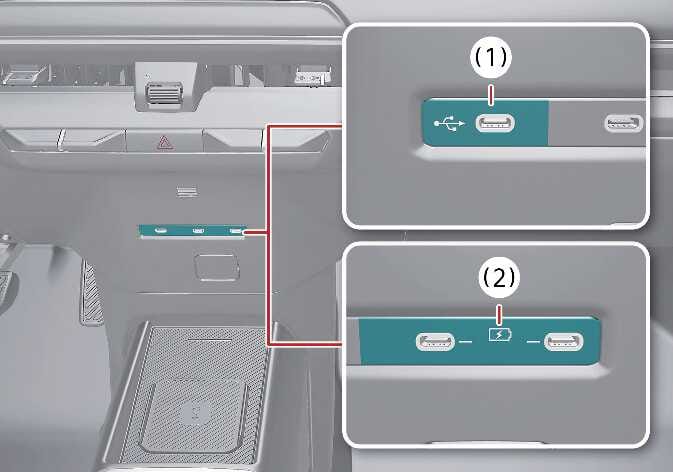
You can use a USB cable to connect audio devices to the vehicle’s USB port (1).
-
After connecting a media storage device such as an MP3 player or USB drive, you can play music through the vehicle speakers or the infotainment system (1).
-
Small electronic devices can also be charged through the USB port (2). For more details, refer to USB charger.
NOTE
-
Some devices may not charge when connected to the USB port.
-
When using a portable audio device connected to the power outlet, noise may occur during playback. If this happens, disconnect the USB cable and use the portable audio device’s own power source.