

Turning Lane Keeping Assist ON and OFF
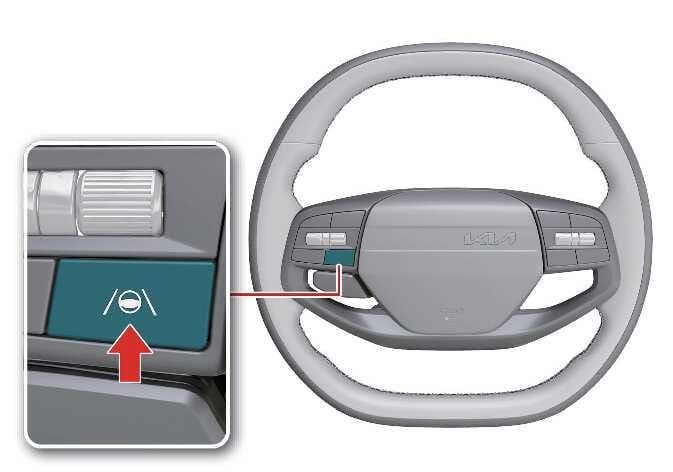 N_QVe27_B10_018_1_E |
When the vehicle is restarted, Lane Keeping Assist always turns on automatically and the indicator light ( ) on the cluster illuminates in gray.
To turn off Lane Keeping Assist, press and hold the Lane Driving Assist ( ) button for more than 2 seconds.
When Lane Keeping Assist is turned off, the indicator light () illuminates in yellow.
-
If Lane Keeping Assist is not met, the gray indicator (
) appears on the instrument cluster. -
If Lane Keeping Assist is met, the green indicator (
) appears on the instrument cluster.
Automatic activation
Lane Keeping Assist automatically turns on when either of the following driving convenience features:
-
Both Lane Following Assist and Smart Cruise Control turn on
-
Highway Driving Assist (HDA) turns on: (if equipped)
If Lane Keeping Assist has automatically turned on and the driver attempts to turn it off, a warning message appears and Lane Keeping Assist does not turn off.
If the in-cabin camera detects the driver’s drowsiness, Lane Keeping Assist activates automatically. In this case, the driver can deactivate Lane Keeping Assist by pressing and holding the Lane Driving Assist button for more than 2 seconds.: (if equipped)
-
Lane Keeping Assist remains activated even if the driving convenience feature is turned off.
-
To deactivate Lane Keeping Assist, temporarily disable Smart Cruise Control or press the Lane Driving Assist button or Driving Assist button to turn off the driving convenience feature and then attempt to deactivate it.