

Setting the speed limit
-
Press and hold the Driving Assist (
 ) button while driving at the desired speed. The Speed Limit (
 ) indicator appears on the instrument cluster.
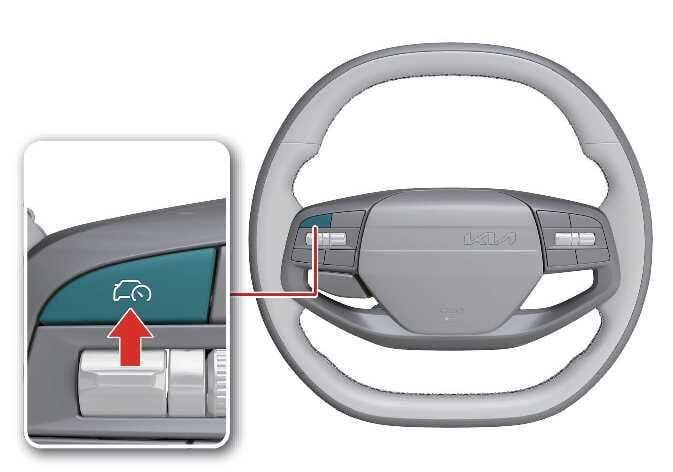 N_QVe27_B10_031_1_E
 -
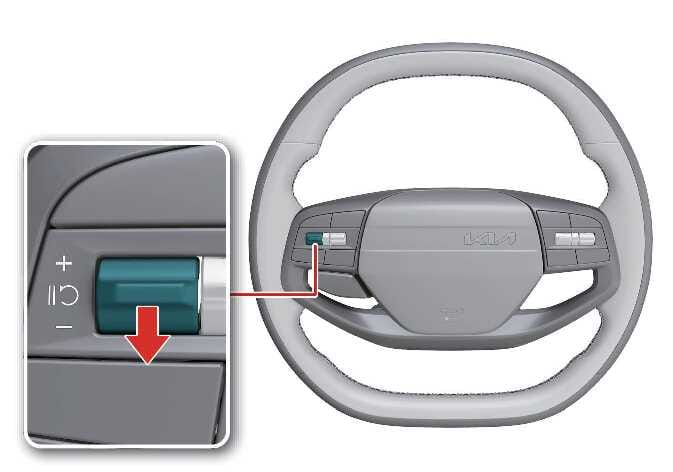
Push the (
 ) switch up or (
 ) switch down and release it while driving at the desired speed.
Push the (
) switch up or () switch down and hold it. The speed increases or decreases to the nearest multiple of 10 km/h (5 mph) at first, then increases or decreases by 10 km/h (5 mph).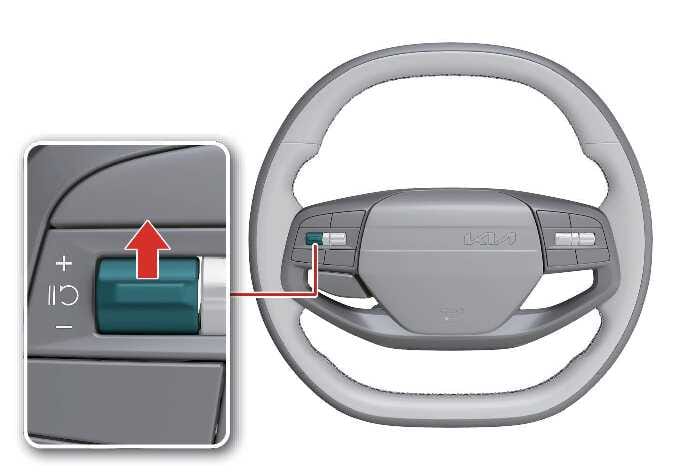 N_QVe27_B10_032_1_E
 N_QVe27_B10_033_1_E
 -
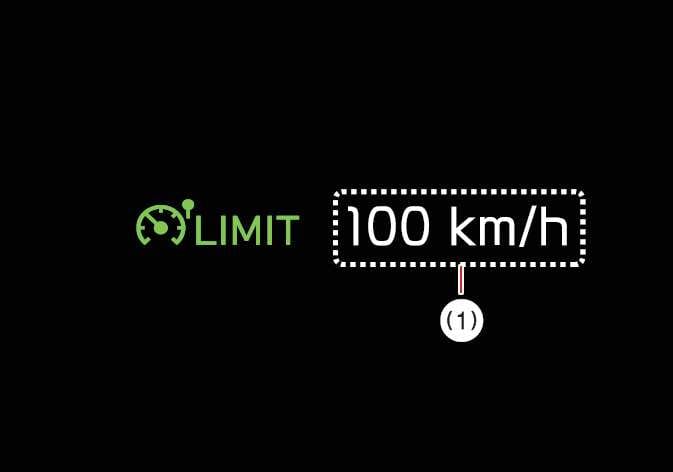
The instrument cluster displays the set speed limit (1).
The set speed limit blinks and the chime sounds until you return the vehicle speed to the limit you set.
 OMQ4A055174TIP
-
When the accelerator pedal is not engaged beyond the pressure point, the vehicle maintains the set speed.
-
The set speed may differ depending on the vehicle specifications. You may not increase the set speed above the maximum set speed for your vehicle.
-