

Overtaking Prevention: (if equipped)
 N_TK25Z022E |
|
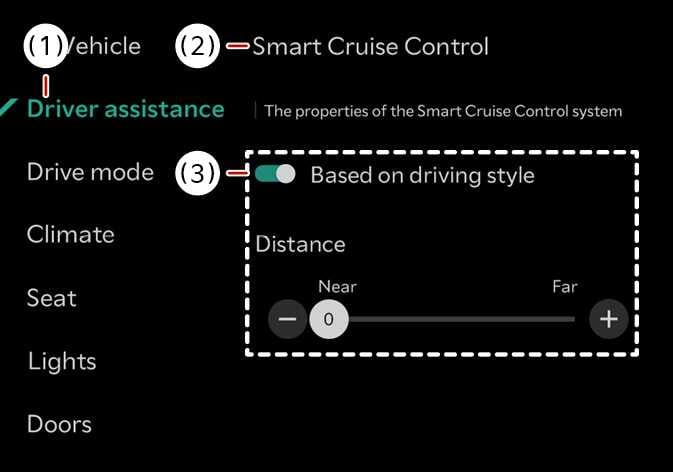
The vehicle is ON, tap on the infotainment system screen. Smart Cruise Control helps ensure that overtaking is performed only in the direction permitted according to the direction of travel.
-
In right-hand traffic countries, the system helps prevent the vehicle from traveling faster than vehicles driving in the lane to the left of the vehicle. In left-hand traffic countries, it helps prevent the vehicle from traveling faster than vehicles driving in the lane to the right of the vehicle.
-
When traveling between countries with different traffic directions, the driving direction is updated only in vehicles equipped with navigation. If the vehicle is not equipped with navigation, turn off the USM menu before traveling between countries with different traffic directions.
-
Overtaking Prevention operates when the system determines that the vehicle is likely to overtake adjacent-lane vehicles in the permitted direction at or above a certain vehicle speed. The system does not operate in cases of sudden deceleration, so drive with caution.
-
Towing a trailer or installing a carrier may reduce control stability. Disable the function if necessary and always drive carefully.
-
Do not use this function when towing another vehicle or when installing other equipment that may affect sensor operation or vehicle balance. It may not operate normally.