

Warning Methods
 KIAPB138 |
|
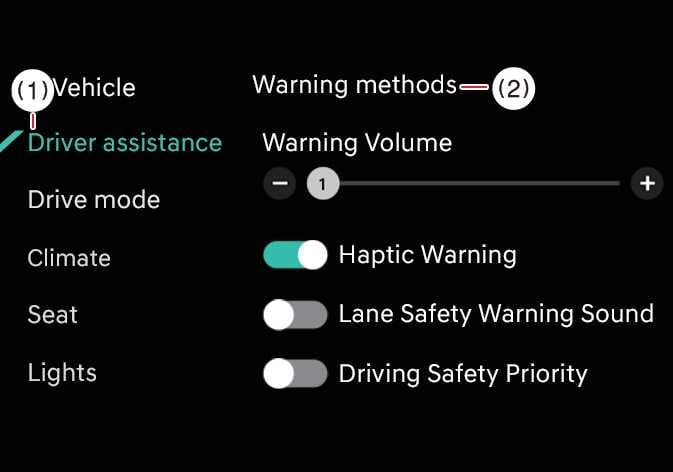
To change the Warning Methods settings while the vehicle is ON, tap on the infotainment system screen. You can change the following settings:
-
Warning Volume: Adjusts the volume of the warning sound.
-
Driving Safety Priority: Lowers all other audio volumes when the Driving Safety system sounds a warning.
-
Your Warning Methods settings may apply to the Warning Methods of other driver assistance systems.
-
Warning Methods maintain their last settings when you turn OFF and restart the vehicle.
-
The Warning Methods setting menu may not be available on all vehicles.
-
The warning volume and steering wheel vibration warning cannot be turned off at the same time. If one is turned off, the other will be activated.: (if equipped)
-
The warning sound for Blind-Spot Collision-Avoidance Assist is turned off when the warning volume is set to “0” or when the Blind-Spot Safety warning sound setting is deselected.
-
Depending on the infotainment system software version, the descriptions of each driver assistance function may differ from those in the Owner’s Manual. In this case, check the updated information by accessing the web manual via the QR code in the infotainment system Quick Reference Guide.