

Turning ON Highway Lane Change Assist
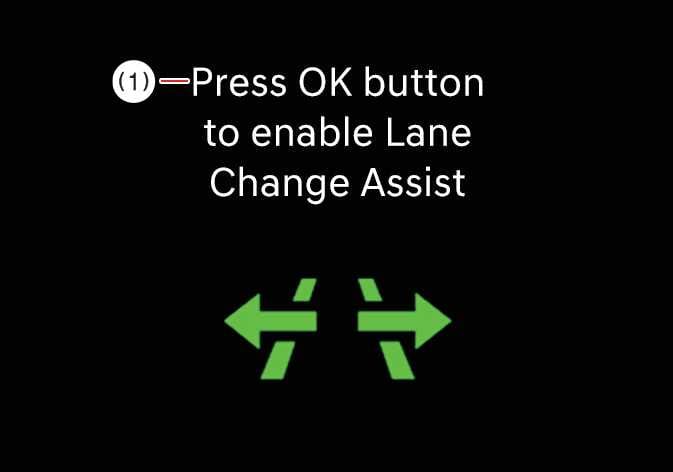 OCL4M055110N |
|
Highway Lane Change Assist is ready to operate when the function is ON and the following conditions are satisfied:
-
Highway Driving Assist is operating.
-
Lane Following Assist is operating.
-
Your vehicle is ON and detects another vehicle behind more it than once.
-
Your speed is above 30 km/h (20 mph).
-
The system operates only when a vehicle in the rear blind spot is detected at low speeds (Europe: 30–80 km/h (20–40 mph); Australia: 30–60 km/h) and when no collision risk is determined during a lane change.
-
The instrument cluster does not display the hands-off warning.
-
Hazard lights are OFF.
-
While the Lane Change Assist function is ON, Lane Following Assist will not cancel, even if the turn signal indicator or hazard lights are operating.
-
Lane Change Assist automatically turns OFF when you drive in the following conditions:
-
There is 1 driving lane.
-
Road segments where an intersection or crosswalk is ahead.
-
Roads lack physical center separations structures, such as guardrails.
-
A pedestrian or cyclist is on the road ahead.
-
-
When the driving speed falls to 25 km/h (15 mph) or below while the system is in an operable state, it switches to standby.
-
At low speeds (Europe: 30–80 km/h (20–40 mph); Australia: 30–60 km/h), the system switches to standby if vehicles in the rear blind spots of the left and right adjacent lanes are not detected.
-
If a collision risk is determined, the system switches to standby.
-
The Lane Change Assist status changes to standby if a risk of collision is detected.
-
The images or colors may display differently depending on the specifications of the instrument cluster or theme.
-
The displayed lanes and surrounding objects in the cluster may differ from reality.
When Highway Lane Change Assist turns OFF, Steering Assist is temporarily canceled. Always be cautious when driving.