

AUTO defogging system: (if equipped)
Automatic defogging senses moisture on the inside of the windscreen to reduce the likelihood of the windscreen fogging up.
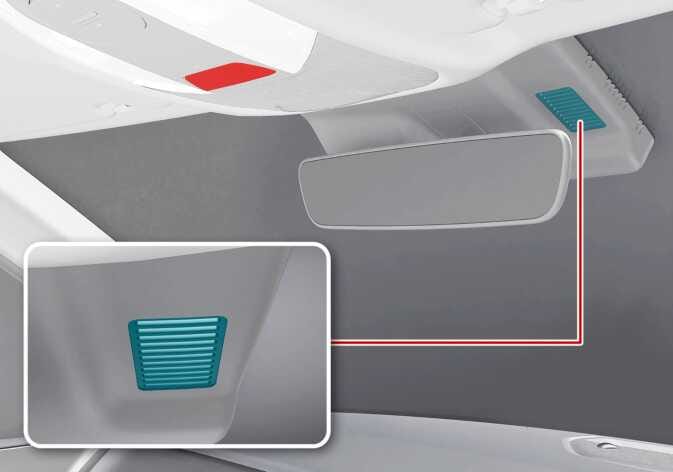 N_QVe27_C08_015_1_ER |
The AUTO defogging system operates when the heating or air conditioning (A/C) is on.
The AUTO defogging indicator will appear when the system is operating.
If high humidity is detected inside the vehicle, AUTO defogging will engage.
The following steps are performed automatically:
-
The A/C icon indicator will turn on.
-
The air intake control changes to external airflow when the outside temperature is low.
-
The climate mode changes to defrost so that airflow is directed to the windscreen.
-
The fan speed increases.
Cancelling or resetting the AUTO defogging system
Press the front windscreen defroster icon for 3 seconds when the vehicle is in POWER ON position or DRIVE READY indicator is on.
When AUTO defogging cancels, the defrost icon indicator blinks 3 times.
When the AUTO defogging system resets, the defrost icon indicator blinks 6 times without a signal.
-
If you try to turn the A/C off when AUTO defogging is on, the indicator blinks 3 times and the A/C will not turn OFF.
-
To maintain the AUTO defogging system’s effectiveness and efficiency, do not select recirculated air intake whilst the system is operating.
-
When AUTO defogging is operating, the fan speed adjustment lever/icon, temperature adjustment lever, and air intake control icon are all disabled.
Do not remove the sensor cover located on the upper end of the windshield glass.
Damage to system parts could occur and may not be covered by your warranty.