

LCD display modes
|
|
|||||
|---|---|---|---|---|---|
 Driving Assist |
 Trip Computer |
 Turn By Turn (TBT)* |
 User Settings* |
Information/Master Warning |
|
|
Up/Down |
Forward Collision-Avoidance Assist Lane Keeping Assist Blind-Spot Collision-Avoidance Assist* Smart Cruise Control Lane Following Assist Highway Driving Assist |
Drive information |
Route Guidance |
Driver Assistance* |
TPMS |
|
After recharging* |
Destination Info |
Head-Up Display* |
Coolant Temperature |
||
|
Accumulated info |
Cluster |
The Master Warning mode displays warning messages related to the vehicle when one or more systems is not operating normally. |
|||
|
Energy Flow |
Lights* |
||||
|
Digital Speedometer |
Door* |
||||
|
Convenience* |
|||||
|
Units |
|||||
|
Language |
|||||
|
Reset |
|||||
 Mode
Mode




* : if equipped
If you press OK button for more than 1 second when the Driving Assist mode is being displayed, it leads to Driver assistance settings menu on the infotainment system screen.
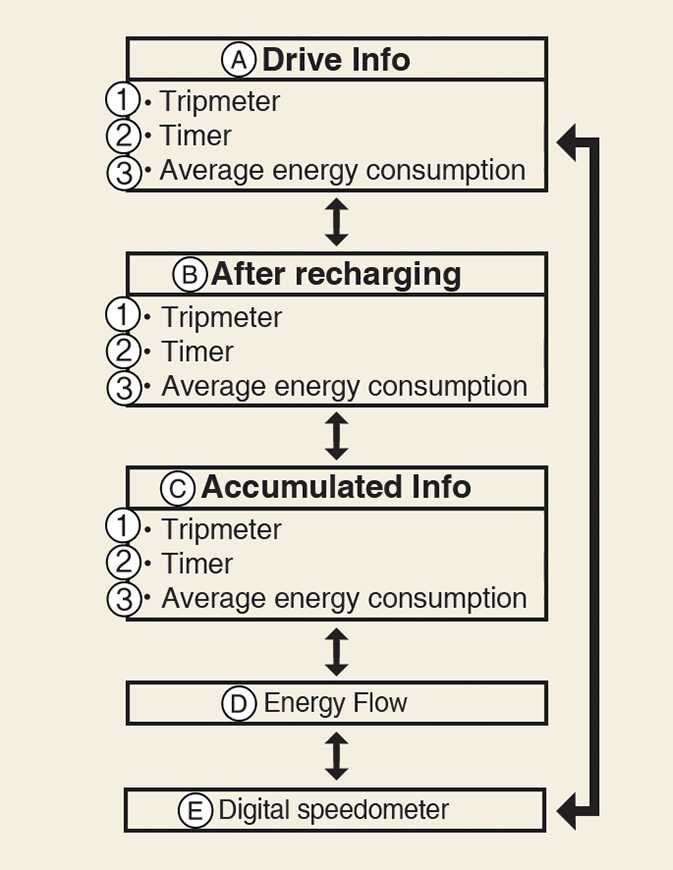
Trip modes
-
A: Drive Info
-
B: After recharging
-
C: Accumulated Info
-
D: Energy Flow
-
E: Digital speedometer
-
Tripmeter
-
Timer
-
Average energy consumption
To change the trip mode, toggle the switch (
 /
/
 ) on the steering wheel.
: if equipped