

Display and control
You can see the status of the Highway Driving Assist operation in the Driving Assist mode on the cluster. Refer to Driving Assist mode.
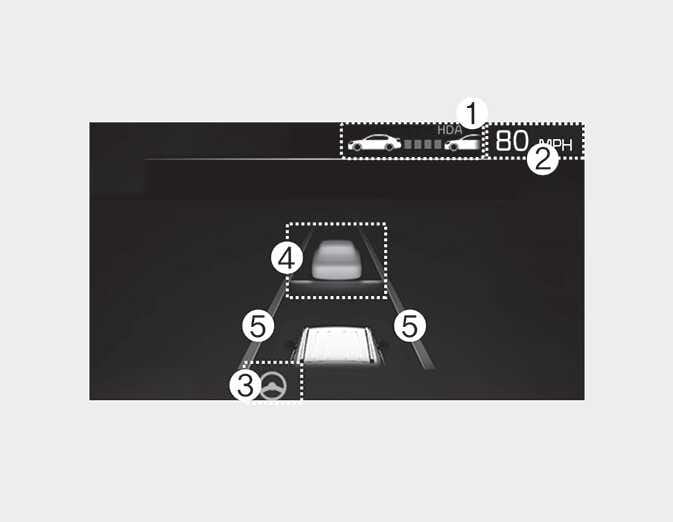
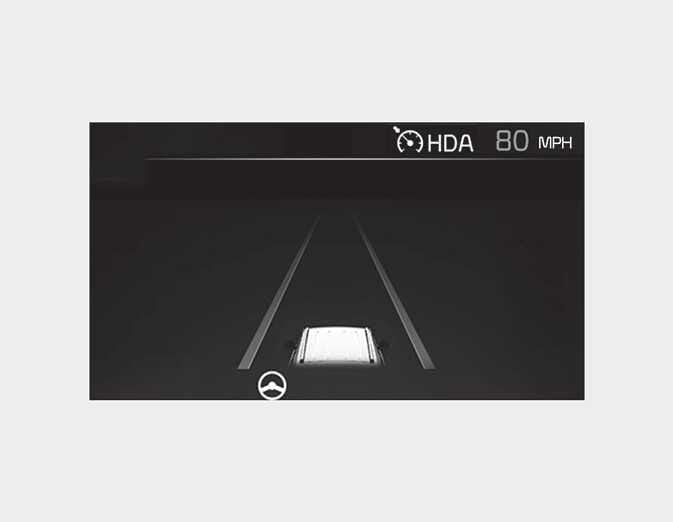
Highway Driving Assist will be displayed as below depending on the status of the function.
-
Highway Driving Assist indicator, whether there is a vehicle ahead and the selected distance level are displayed.
-
Highway Driving Assist indicator
-
Green (
 ): Operating state
-
White (
 ): Standby state
-
-
-
Set speed is displayed.
-
Lane Following Assist indicator displayed.
-
Whether there is a vehicle ahead and the selected vehicle to vehicle distance are displayed.
-
Whether the lane is detected or not is displayed.
For more details and limitations of Lane Following Assist, refer to Lane Following Assist (LFA).
For more details and limitations of Smart Cruise Control, refer to Smart Cruise Control (SCC).