
Trip information (trip computer)
The trip computer is a microcomputer- controlled driver information system that displays information related to driving.

Some driving information stored in the trip computer resets if the battery is disconnected.
Trip Modes
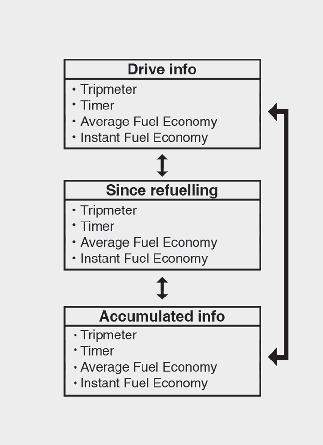
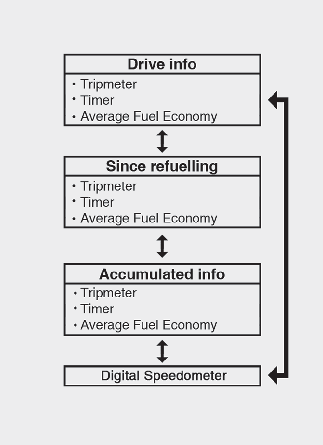
To change the trip mode, scroll the toggle the switch ( /
/  ) on the steering wheel.
Drive info mode
This display shows the trip distance (1), the total driving time (2), the average fuel efficiency (3), and the instant fuel economy (4, if equipped) information once per one ignition cycle.
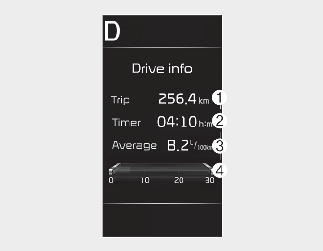
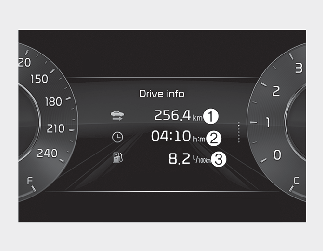
-
Fuel efficiency is calculated after the vehicle has run for more than 300 meters (0.2 miles).
-
If opening the driver's door after turning off the engine or 3 minutes passes after restarting the engine, Driving Information is reset.
-
If you press "OK" button for more than 1 second after the Driving Information is displayed, the information will be reset.
-
If the engine is running, even when the vehicle is not in motion, the information will be accumulated.
Since refuelling mode
This display shows the trip distance (1), the total driving time (2), the average fuel efficiency (3), and the instant fuel economy (4, if equipped).
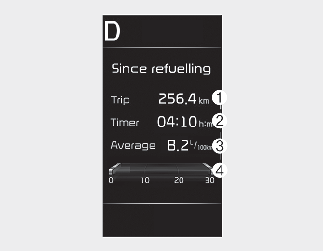
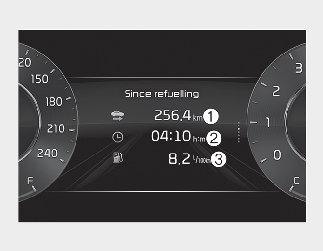
-
Fuel efficiency is calculated after the vehicle has run for more than 300 meters (0.2 miles).
-
After refuelling more than 6 litres (1.6 gallons) and driving over 1 km/h, the Since refuelling will reset to default automatically.
-
If you press "OK" button for more than 1 second after the Driving Information is displayed, the information will be reset.
-
If the engine is running, even when the vehicle is not in motion, the infor- mation will be accumulated.
Accumulated driving information mode
This display shows the accumulated trip distance (1), the total driving time (2), the average fuel efficiency (3), and the instant fuel economy (4, if equipped).
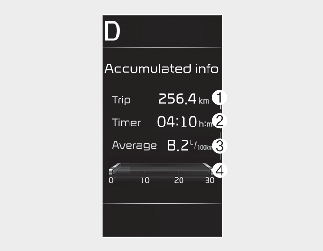
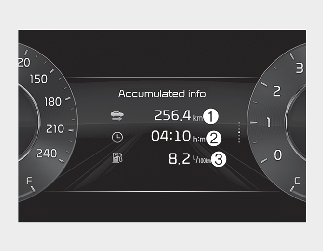
-
Accumulated information is calculated after the vehicle has run for more than 300 meters (0.2 miles).
-
If you press "OK" button for more than 1 second after the Cumulative Information is displayed, the information will be reset.
-
If the engine is running, even when the vehicle is not in motion, the information will be accumulated.
Digital speedometer (for Type B cluster)
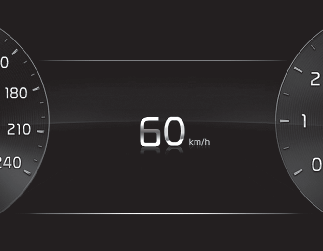
This mode displays the current speed of the vehicle.
Service interval
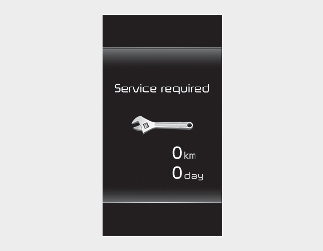
Service in
It calculates and displays when you need a scheduled maintenance service (mileage or days).
If the remaining mileage or time reaches 1,500 km (900 miles) or 30 days, "Service in" message is displayed for several seconds each time you set the ignition switch or ENGINE START/STOP button to the ON position.
Service required
If you do not have your vehicle serviced according to the already inputted service interval, "Service required" message is displayed for several seconds each time you set the ignition switch or ENGINE START/STOP button to the ON position.
To reset the service interval to the mileage and days you inputted before:
-
Press the OK button (Reset) for more than 1 second.
If any of the following conditions occurs, the mileage and days may be incorrect.
-
The battery cable is disconnected.
-
The battery is discharged.
LCD display messages
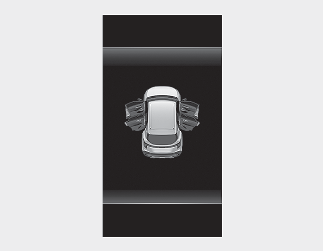
Door, bonnet, tailgate open
-
This warning is displayed indicating which door, the bonnet, the tailgate or the sunroof is open.
Sunroof open
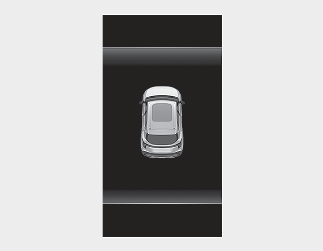
This warning is displayed if you turn off the engine when the sunroof is open.
Lights mode
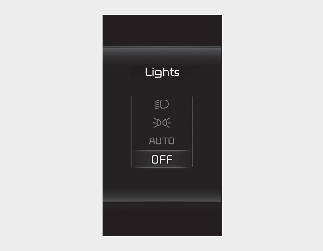
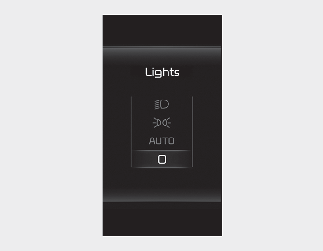
This indicator displays which exterior light is selected using the lighting control.
You can activate or deactivate Wiper/Lights display function from the User settings mode in the cluster LCD display or the Settings in the Infotainment system screen.
Wiper mode
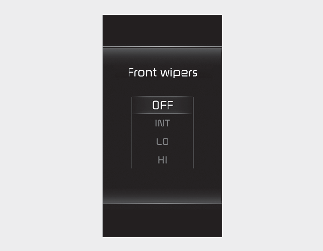
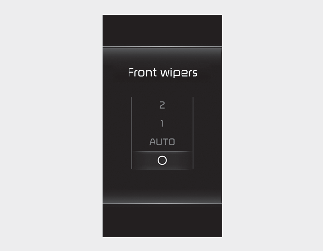
This indicator displays which wiper speed is selected using the wiper control.
You can activate or deactivate Wiper/Lights display function from the User settings mode in the cluster LCD display or the Settings in the Infotainment system screen.
-
This warning message illuminates when the washer fluid reservoir is nearly empty.
-
It means that you should refill the washer fluid.
Engine has overheated
-
This warning message illuminates when the engine coolant temperature is above 120 °C (248 °F). This mean that the engine is overheated and may be damaged.
* If your vehicle is overheated, refer to More Details.
Shift to P (for smart key system)
-
This warning message illuminates if you try to turn off the engine without the gear in P (Park) position.
-
At this time, the ENGINE START/STOP button turns to the ACC position.
Low key battery (for smart key system)
-
This warning message illuminates if the battery of the smart key is discharged when the ENGINE START/STOP button changes to the OFF position.
Press START button whilst turning wheel (for smart key system)
-
This warning message illuminates if the steering wheel does not unlock normally when the ENGINE START/STOP button is pressed.
-
It means that you should press the ENGINE START/STOP button whilst turning the steering wheel right and left.
Check steering wheel lock system (for smart key system)
-
This warning message illuminates if the steering wheel does not lock normally when the ENGINE START/STOP button changes to the OFF position.
Press clutch pedal to start engine (for smart key system and Manual Transmission)
-
This warning message illuminates if the ENGINE START/STOP button changes to the ACC position twice by pressing the button repeatedly without depressing the clutch pedal.
-
It mens that you should depress the clutch pedal to start the engine.
Key not in vehicle (for smart key system)
-
This warning message illuminates if the smart key is not in the vehicle when you press the ENGINE START/STOP button.
-
It means that you should always have the smart key with you.
Key not detected (for smart key system)
-
This warning message illuminates if the smart key is not detected when you press the ENGINE START/STOP button.
Shift to P or N to start engine (for smart key system)
-
This warning message illuminates if you try to start the engine with the shift lever not in the P (Park) or N (Neutral) position.
Press brake pedal to start engine (for smart key system)
-
This warning message illuminates if the ENGINE START/STOP button changes to the ACC position twice by pressing the button repeatedly without depressing the brake pedal.
-
It means that you should depress the brake pedal to start the engine.
12V battery discharging due to additional electrical devices
The vehicle can detect self-discharge of the battery due to over-current that is generated by unauthorised electrical devices such as dashboard camera (dash cam) mounting during parking.
If the warning continues even after external electrical devices are removed, have your vehicle inspected by a professional workshop. Kia recommends to contact an authorised Kia dealer/service partner.
Press START button again (for smart key system)
-
This warning message illuminates if you cannot operate the ENGINE START/STOP button when there is a problem with the ENGINE START/STOP button system.
-
It means that you could start the engine by pressing the ENGINE START/STOP button once more.
-
If the warning illuminates each time you press the ENGINE START/STOP button, have the vehicle inspected by a professional workshop. Kia recommends to visit an authorised Kia dealer/service partner.
Press START button with key (for smart key system)
-
This warning message illuminates if you press the ENGINE START/STOP button whilst the warning message "Key not detected" is illuminating.
-
At this time, the immobiliser indicator light blinks.
Check BRAKE SWITCH fuse (for smart key system)
-
This warning message illuminates if the brake switch fuse is disconnected.
-
It means that you should replace the fuse with a new one. If that is not possible, you can start the engine by pressing the ENGINE START/STOP button for 10 seconds in the ACC position.