
LCD display modes
|
|
|||||
|---|---|---|---|---|---|
 Trip Computer |
 Turn By Turn (TBT)* |
 Information* |
 User Settings |
 Master warning |
|
|
Up/Down |
Fuel Economy |
Route Guidance |
TPMS |
Head-up display |
The Master Warning mode displays warning messages related to the vehicle when one or more systems is not operating normally. |
|
Accumulated Info |
Destination Info |
Driver Assistance |
|||
|
Drive Info |
Door |
||||
|
Lights |
|||||
|
Digital Speedometer |
Convenience |
||||
|
Service Interval |
|||||
|
Other features |
|||||
|
Language |
|||||
|
Reset |
|||||
 Mode
Mode


The information provided may differ depending on which functions are applicable to your vehicle.
* : if equipped
Trip computer mode
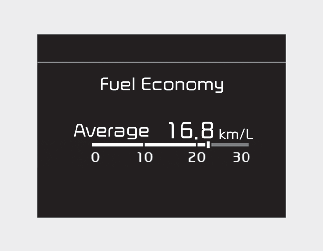
The trip computer mode displays information related to vehicle driving parameters including fuel economy, tripmeter information and vehicle speed.
* For more details, refer to More Details.
Turn By Turn (TBT) mode
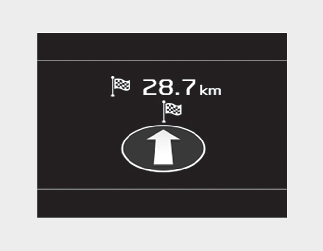
This mode displays the state of the navigation.
Information mode
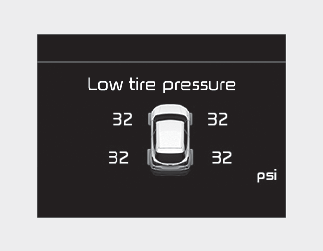
This mode displays the state of:
-
Tire pressure
* For more details, refer to each system information in More Details.
* For more details, refer to More Details.
Master warning mode
This warning light informs the driver the following situations.
-
LED headlamp malfunction (if equipped)
-
Lamp malfunction
At this time, a Master Warning icon ( ) will appear beside the User Settings icon (
 ), on the LCD display. If the warning situation is solved, the master warning light will be turned off and the Master Warning
icon will disappear.
), on the LCD display. If the warning situation is solved, the master warning light will be turned off and the Master Warning
icon will disappear.
User settings mode
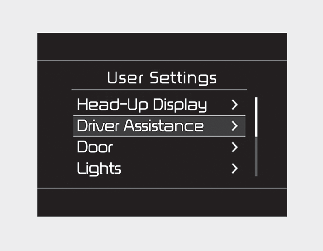
In this mode, you can change the settings of the instrument cluster, doors, lamps, etc.
-
Head-up display
-
Driver Assistance
-
Door
-
Lights
-
Sound
-
Convenience
-
Service Interval
-
Other features
-
Language
-
Reset
The information provided may differ depending on which functions are applicable to your vehicle.
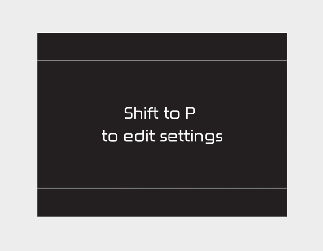
This warning message appears if you try to adjust the User Settings while driving.
-
Automatic Transmission/Dual Clutch Transmission/Intelligent Variable Transmission
For your safety, change the User Settings after parking the vehicle, applying the parking brake and moving the shift lever to P (Park).
-
Manual Transmission/Intelligent Manual Transmission
For your safety, change the User Settings after engaging the parking brake.
|
Items |
Explanation |
|
|---|---|---|
|
Display Height |
Adjust the height (1~20) of the HUD image on the HUD screen. |
|
|
Rotation |
Adjust the degree (-5~+5) of the HUD rotation. |
|
|
Brightness |
Adjust the intensity (1~20) of the HUD brightness. |
|
|
Speed Size |
Small/Medium/Large |
|
|
Speed Color |
White/Orange/Green |
|
|
Items |
Explanation |
|
|---|---|---|
|
Warning Volume |
To select the Warning volume |
|
|
Blind-Spot Safety |
To select the functions. |
|
* The information provided may differ depending on which functions are applicable to your vehicle.
|
Items |
Explanation |
|---|---|
|
Auto Lock |
|
|
Auto Unlock |
|
* The information provided may differ depending on which functions are applicable to your vehicle.
|
Items |
Explanation |
|
|---|---|---|
|
One Touch Turn Indicator |
* For more details, refer to More Details. |
|
|
Head Lamp Delay |
If this item is checked, the head lamp delay function will be activated. |
|
* The information provided may differ depending on which functions are applicable to your vehicle.
|
Items |
Explanation |
|---|---|
|
Welcome Mirror |
To select the welcome mirror function. |
|
Wireless Charging System |
|
|
Wiper/Lights Display |
|
|
Gear Position Pop-up |
|
|
Icy Road Warning |
|
* The information provided may differ depending on which functions are applicable to your vehicle.
|
Items |
Explanation |
|
|---|---|---|
|
Enable Service Interval |
If this item is checked, the Service Interval function will be activated. |
|
|
Adjust Interval |
If the service interval menu is activated, you may adjust the time and distance. |
|
|
Reset |
To reset the service interval function. |
|
If the service interval is activated and the time and distance is adjusted, messages are displayed in the following situations each time the vehicle is turned on.
-
Service in: Displayed to inform the driver the remaining mileage and days to service.
-
Service required: Displayed when the mileage and days to service has been reached or passed.
If any of the following conditions occur, the mileage and number of days to service may be incorrect.
-
The battery cable is disconnected.
-
The battery is discharged.
|
Items |
Explanation |
|
|---|---|---|
|
Fuel Economy Auto Reset |
|
|
|
Speedometer Unit |
To select the Speedometer unit. |
|
|
Fuel Economy Unit |
To select the Fuel economy unit. For more details, refer to More Details. |
|
|
Temperature Unit |
To select the Temperature unit. |
|
|
Torque Unit |
To select the Torque Unit |
|
|
Turbo Boost Pressure Unit |
To select the Turbo Boost Pressure Unit |
|
|
Tire Pressure Unit |
To select the Tire Pressure Unit |
|
* The information provided may differ depending on which functions are applicable to your vehicle.
|
Items |
Explanation |
|
|---|---|---|
|
Reset |
You can reset the menus in the User Settings mode. All menus in the User Settings mode are reset to factory settings, except language and service interval. |
|
|
Items |
Explanation |
|
|---|---|---|
|
Language |
To select language. |
|