Operating the power trunk
 N_CT25C055_1_ER |
 N_CT25C001_E |
 N_CT25C004_1_E |
 N_CT25C006_1_E |
-
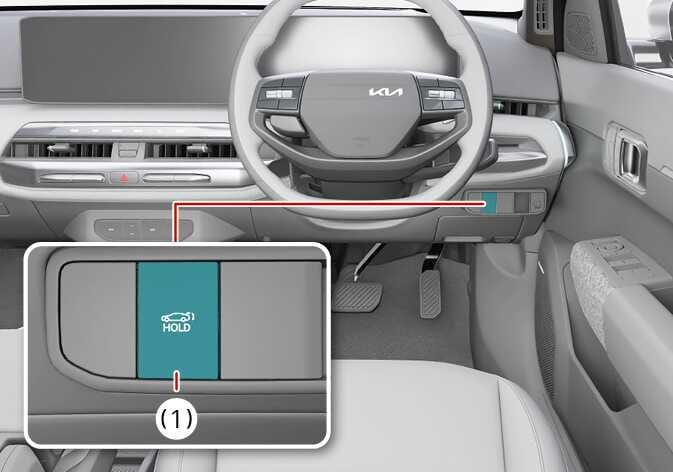
Power trunk open/close button inside the vehicle
-
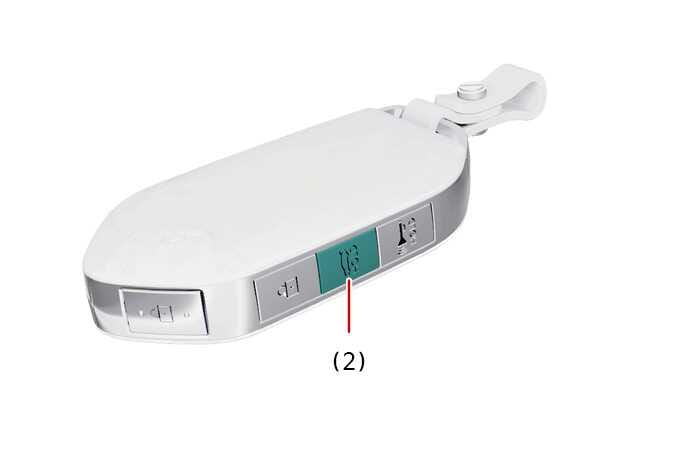
Power trunk open/close button on the smart key
-
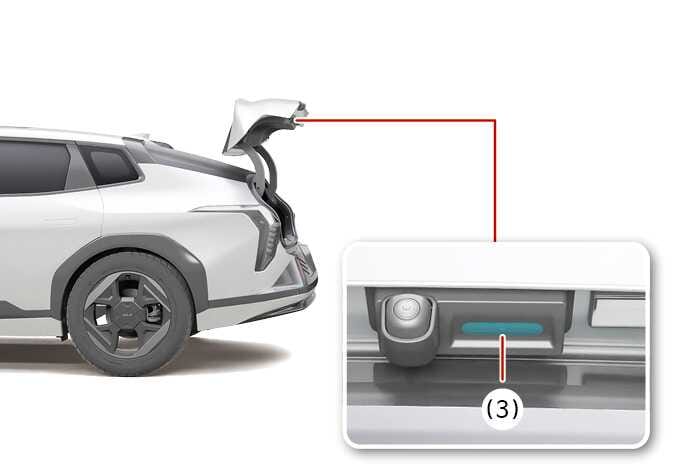
Power trunk open/close button outside the vehicle
-
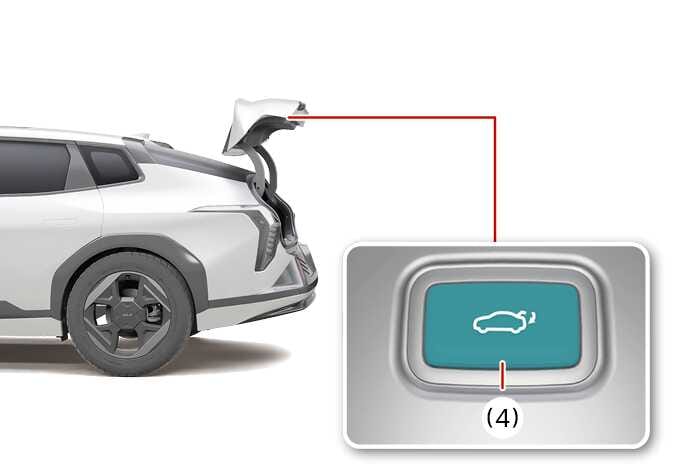
Power trunk close button inside the power trunk
Simple operation
-
When the trunk is closed, press the power trunk open/close button inside the vehicle (1) for 1 second. The power trunk opens with a warning sound.
-
When the trunk is closed, press the power trunk open/close button on the smart key (2) for 1 second. The power trunk opens with a warning sound.
-
When the trunk is closed, press the power trunk open/close button outside the vehicle (3) to open the trunk.
-
Press the power trunk close button inside the power trunk (4). The trunk opens or closes automatically.
Operation
-
When the trunk is closed, press the power trunk open/close button inside the vehicle (1) for 1 second. The power trunk will open with a warning sound.
-
Whilst the trunk is opening, press the button to stop trunk operation.
-
When the power trunk is opened, press and hold the power trunk open/close button to close the trunk. If you release the button whilst the trunk is closing, power trunk operation will stop with a warning sound for 5 seconds.
-
-
When the trunk is closed, press the power trunk open/close button on the smart key (2) for 1 second. The power trunk opens with a warning sound.
-
Whilst the trunk is opening, press the button to stop trunk operation.
-
When the power trunk is opened, press and hold the power trunk open/close button to close the trunk. If you release the button whilst the trunk is closing, power trunk operation will stop with a warning sound for 5 seconds.
-
-
If the smart key is not within operation range (approximately 10 m) from the vehicle, trunk operation will stop with a warning sound for 5 seconds.
-
When the trunk is closed, press the power trunk open/close button outside the vehicle (3) to open the trunk.
If the vehicle is locked, press the power trunk open/close button with the smart key in your possession.
Whilst the trunk is opening, press the button to stop power trunk operation.
-
Press the power trunk close button inside the power trunk (4). The trunk closes automatically.
Whilst the trunk is closing, press the button to stop power trunk operation
Operating condition(s)
-
When the gear is in P (Park) with the vehicle in POWER ON or DRIVE READY position
-
When the vehicle is in OFF position
Non-operating condition(s)
-
The vehicle speed is above 3 km/h (1.8 mph)