

Head-up display settings
OCV041186L
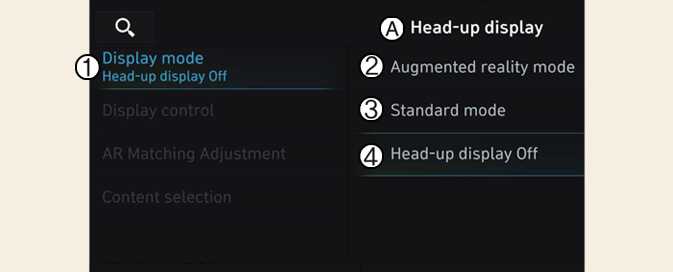
A: Head-up display
-
Display mode
-
Augmented reality mode
-
Standard mode
-
Head-up display off
Head-up display can be enabled from the Settings menu in the infotainment system screen. Select either Augmented reality mode or Standard mode from:
-
Settings → Vehicle → Head-up display → Display mode → Augmented reality mode/ Standard mode
After turning on the head-up display, you can change the settings of Display control, Augmented reality calibration and Content selection of the Head-Up Display.