

SEW (Safe Exit Warning)
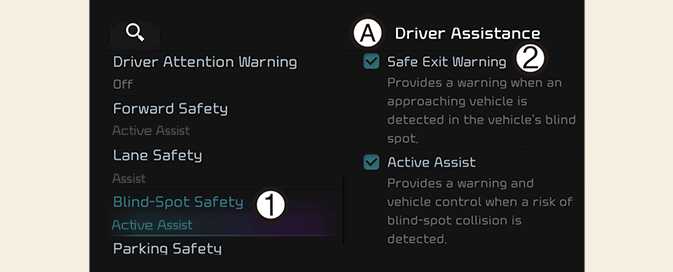
OCV041567L
A: Driver assistance
-
Blind-spot safety
-
SEW (Safe Exit Warning)
With the vehicle on, select Settings → Vehicle → Driver assistance → Blind-spot safety→ SEW (Safe Exit Warning) from the infotainment system screen to turn on Safe Exit Warning and deselect to turn off the function.
WARNING
The driver should always be aware of unexpected and sudden situations from occurring. If SEW (Safe Exit Warning) is deselected, Safe Exit Warning cannot assist you.
NOTE
If the vehicle is restarted, Safe Exit Warning will maintain the last setting.